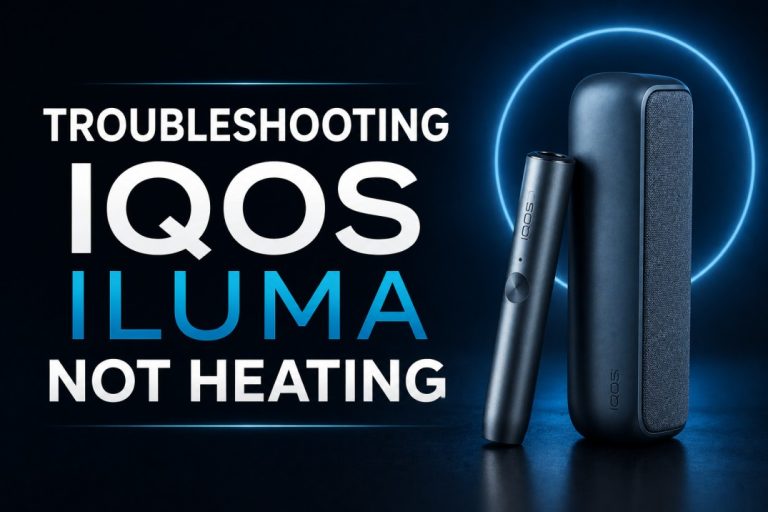
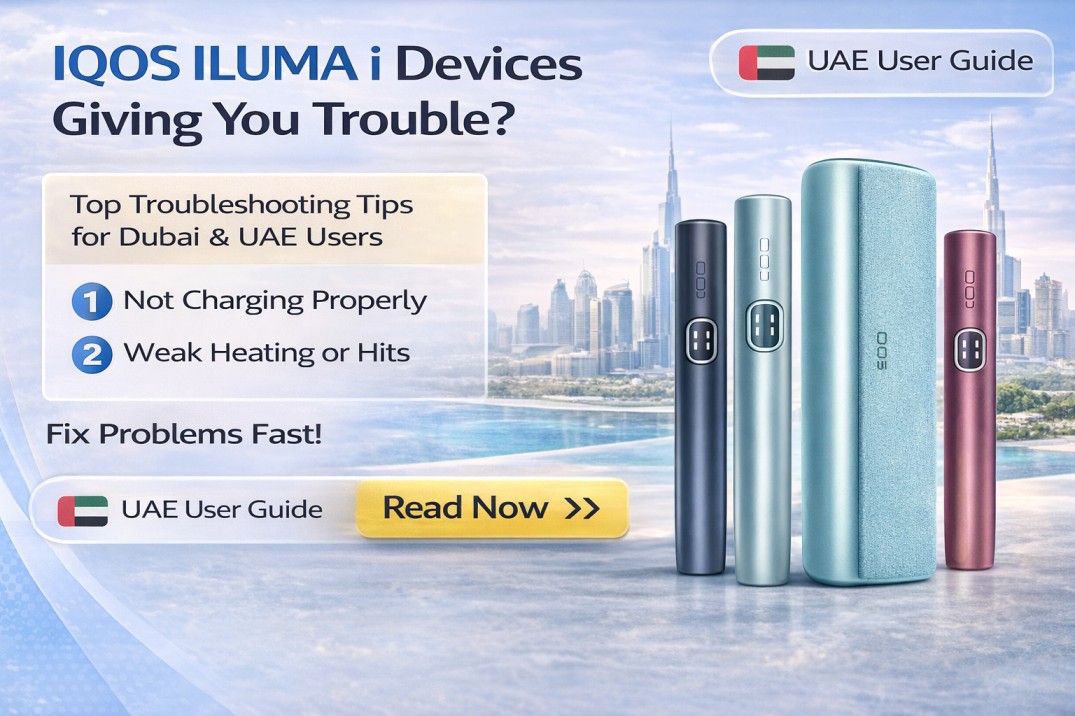
If your IQOS ILUMA i is not performing well, the most common causes are old or counterfeit TEREA sticks, a low or degraded battery, dirty charging contacts, or heat damage from Dubai’s summer temperatures. In most cases, switching to a fresh pack of genuine TEREA sticks and doing a 10-second device reset will restore full performance within minutes.
For users across Dubai, Sharjah, and Abu Dhabi, performance problems with the ILUMA i are almost never hardware defects. They are usually caused by environmental factors specific to the UAE: extreme heat, fine dust from seasonal sandstorms, and unofficial TEREA sticks sourced from informal sellers. This guide walks through every possible cause in order of how commonly it appears in the UAE market, so you can find and fix your problem as fast as possible.
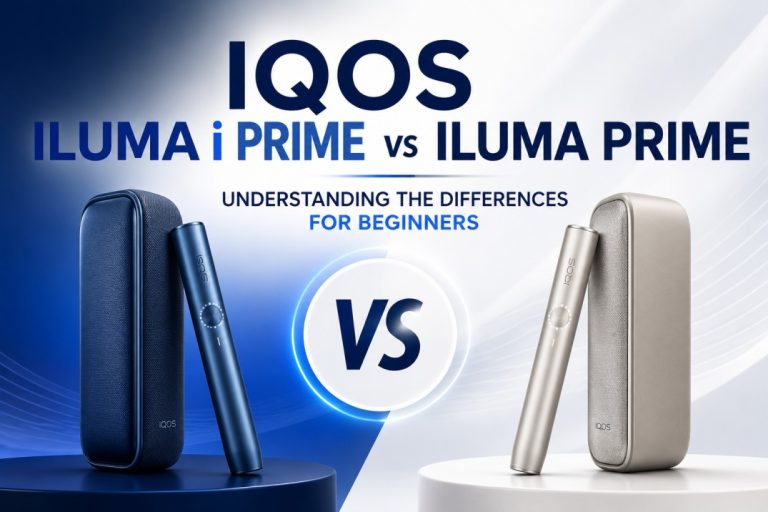
Whether you use the ILUMA i Standard, One, or Prime, every issue in this guide applies to your device.
Before You Troubleshoot: Understand What “Poor Performance” Looks Like
Not every ILUMA i problem feels the same. Before jumping straight to fixes, it helps to identify which category your problem falls into. This tells you which section of this guide to focus on.
The 5 Most Common ILUMA i Performance Complaints in UAE
Weak or thin vapor after just a few puffs. The session starts but flavor fades quickly, and the vapor feels thinner than it should.
Device does not heat at all after inserting a TEREA stick. You insert the stick, the device does not start, and nothing happens when you press the button.
Session ends much earlier than the expected 14 puffs or 6 minutes. The device signals end-of-session after just 5 to 8 puffs, or the session timer runs out unusually fast.
Red or white blinking lights with no clear explanation. Light signals appear that do not match normal operation, and the device behaves inconsistently.
Device feels excessively hot or shuts down mid-session. The device stops heating and goes dark during an active session.
Why UAE Users Experience These Problems More Than Users in Other Countries
The ILUMA i is a precision device. Its performance is sensitive to conditions outside its normal operating range, and the UAE presents conditions that push against those limits more consistently than almost any other market where IQOS is sold.
Dubai summer temperatures regularly exceed 45 degrees Celsius. Car interiors reach 60 to 70 degrees during peak summer months. The spring months between March and May bring seasonal dust and sand that enter charging ports and holder openings. The high volume of informal TEREA sellers across Dubai and Sharjah markets means counterfeit sticks are more common here than in most countries. And the rapid transition from outdoor heat into heavily air-conditioned spaces, a daily experience in Dubai, Abu Dhabi, and Sharjah, affects battery performance in ways that users in cooler, more stable climates never encounter.
Understanding that these are environmental issues, not device faults, is the starting point. Most ILUMA i performance problems in the UAE are entirely fixable at home, often in under five minutes.
Check 1: Your TEREA Sticks (Start Here Before Anything Else)
Before touching your device settings, doing a reset, or contacting support, try this: take one TEREA stick from a fresh, sealed pack that has been stored in an air-conditioned room, insert it into your device, and see if the problem continues.
This single step resolves the majority of ILUMA i performance complaints in the UAE market.
Why TEREA Sticks Are the First Thing to Check
The ILUMA i heats tobacco through an electromagnetic field that activates a metal element sealed inside each TEREA stick. If that stick is old, dry, stored incorrectly, or counterfeit, the heating process does not work the way it should. The device may function perfectly, but the session feels wrong because the stick is the problem.
In the UAE, the proportion of ILUMA i complaints that trace back to stick quality rather than device quality is significantly higher than in European or East Asian markets. This is because of two UAE-specific factors: the climate accelerates stick degradation, and informal sellers make counterfeit sticks more accessible here than in most other countries.
Always check the sticks first. It is the fastest check, costs nothing if you already have a fresh pack, and resolves the problem in most cases.
Signs Your TEREA Sticks Are the Problem
You are likely dealing with a stick problem rather than a device problem if:
Flavor drops off after just 3 to 4 puffs instead of lasting the full session. The vapor is thin and weak from the very first puff. The device heats and signals normally but the experience feels flat and unsatisfying. Multiple sticks from the same pack all produce the same weak result. The problem started shortly after you opened a new pack that had been stored somewhere warm.
How Dubai’s Heat Degrades TEREA Sticks
Genuine TEREA sticks are sealed and self-contained, which gives them reasonable resilience compared to loose tobacco. But they are not immune to heat damage, and Dubai’s climate is harsh enough to affect them meaningfully.
The tobacco inside TEREA sticks contains moisture that is part of what creates the vapor during a session. When sticks are stored in high temperatures, that moisture evaporates gradually. A pack stored in a car during a Dubai summer afternoon can lose significant moisture within hours. A pack sitting near a window in direct sunlight for several days will be noticeably drier than one stored in an air-conditioned room.
Dry tobacco does not heat the same way. The vapor produced is thinner. The flavor is harsher and fades faster. The experience feels like a shorter, weaker session even though the device is working correctly.
Opened packs should be used within two weeks in UAE conditions. Unopened packs should be stored in a cool, air-conditioned space away from windows and direct sunlight.
Dubai Storage Warning: A TEREA pack left in a parked car during a Dubai summer afternoon can degrade enough to noticeably affect session quality. This is one of the most frequently reported causes of weak vapor across the UAE, and the fix is simply replacing the pack with fresh stock stored correctly.
Counterfeit TEREA Sticks: A Real Problem in Dubai and Sharjah
Fake TEREA sticks are sold through informal WhatsApp channels, street vendors, and some smaller shops across Dubai and Sharjah. They look similar to genuine TEREA sticks from the outside, but the internal construction is different. Counterfeit sticks either have a weak susceptor element or no susceptor at all. Without a proper susceptor, the ILUMA i’s induction field has nothing effective to activate, resulting in weak heating, inconsistent vapor, and sessions that end early or do not start.
Repeated use of counterfeit sticks can also cause wear on the ILUMA i’s induction system over time, as the device repeatedly tries to activate a faulty element.
How to tell if your TEREA sticks might be counterfeit:
The packaging print is slightly blurry, smeared, or inconsistent in color. The sticks feel lighter or drier than usual when you remove them from the pack. The aroma from the pack does not match the flavor name clearly. The session feels weak or short even with a brand-new pack. You bought them from a WhatsApp contact, a street vendor, or an unnamed seller rather than a licensed retailer.
TEREA Authenticity Checklist:
- Packaging print is sharp and consistent with no smearing or blurring
- Sticks are firm and seated evenly inside the pack
- The filter end of each stick is clean and uniform in appearance
- Aroma matches the flavor listed on the packaging
- The source is a licensed UAE retailer, not an informal channel
HEETS in an ILUMA i: A Common Mistake That Stops Performance Completely
Users who previously used an IQOS 3 DUO sometimes accidentally insert HEETS sticks into their ILUMA i. HEETS sticks have no susceptor element inside them. The ILUMA i’s induction field has nothing to activate, so no heat is produced and the auto-start function does not trigger.
If you have inserted a HEETS stick into your ILUMA i, remove it carefully, insert a genuine TEREA stick, and restart the device. The ILUMA i is not damaged by a single accidental HEETS insertion, but repeated use of HEETS or any non-TEREA stick in an ILUMA i is not recommended.
Check 2: Battery Level and Charging
Once you have confirmed the sticks are genuine and fresh, the next check is the battery. Low charge and degraded battery capacity are the second most common cause of ILUMA i performance problems in the UAE market.
How to Read ILUMA i Battery Status
The ILUMA i uses light indicators to show battery level. A full set of lights indicates full charge. As battery depletes, fewer lights show. When only one light remains and it pulses, charge is critical.
Auto-start failure is often the first sign that the battery is too low to power the induction field for a new session. If auto-start stops triggering, check the battery indicator before assuming there is a device fault.
If you are consistently getting fewer sessions per charge than when the device was new, the battery has likely degraded rather than the device malfunctioning. The ILUMA i Standard supports up to 20 sessions on a full charge. If you are regularly getting fewer than 10 sessions, battery health has declined.
Why Battery Performance Drops Faster in Dubai
Lithium-ion batteries are sensitive to heat, and UAE conditions put them under more thermal stress than in almost any other region.
Leaving the ILUMA i inside a parked car in summer, even once, can cause immediate and permanent capacity loss. The internal battery temperature in a car under Dubai summer sun can reach levels that degrade lithium cells in a single exposure. This is not a device defect. It is a direct result of heat exposure that the battery is not designed to withstand.
Charging a device that is still warm from outdoor use also stresses the battery faster than in cooler climates. The combination of frequent outdoor heat exposure, warm charging cycles, and high ambient temperatures means UAE users typically see battery performance decline faster than users in Europe or Japan.
Users who store their ILUMA i in cool, air-conditioned spaces consistently report better battery longevity over 12 to 18 months of use.
Charging Problems and How to Fix Them
If your ILUMA i is not charging, charges very slowly, or stops charging partway through, work through these steps in order:
Step 1: Inspect the USB-C charging port on the device. Look for visible dust, sand, or lint. In Dubai’s spring months, fine particles from seasonal winds collect in open ports quickly. Use a dry, soft-bristled brush to gently clear the port. Do not use anything metal, sharp, or wet near the port.
Step 2: Wipe the charging contacts. These are the metal contact points on the base of the holder and the corresponding pins inside the pocket charger. Dust and skin oils collect on these contacts over time. Use a dry cotton swab to gently clean both surfaces. Dirty contacts are one of the most common causes of slow or failed charging in UAE conditions.
Step 3: Switch cables. Third-party and unbranded USB-C cables frequently deliver insufficient or unstable power to the ILUMA i. Use only the original IQOS charging cable that came with your device. If that cable is unavailable, use a high-quality branded cable rated for the correct output.
Step 4: Switch power sources. Plug directly into a wall socket. Charging from a laptop USB port, a low-output hub, or a car charger often does not deliver enough power for the ILUMA i. If the device charges from a wall socket but not from another source, the power source was the issue.
Step 5: If the device is warm to the touch, wait 15 minutes in an air-conditioned space before attempting to charge. The device has thermal protection that prevents charging when internal temperatures are above the safe range.
Tip for coastal Dubai users: Users in Dubai Marina, JBR, Jumeirah Beach, and Abu Dhabi Corniche report faster contact degradation due to salt particles in the air. If you live or spend significant time in coastal areas, cleaning charging contacts weekly rather than monthly will keep charging reliable for longer.
Calibrating a Battery That Reports Incorrectly
If your device shows a full charge but delivers noticeably fewer sessions than expected, the battery management system may have lost calibration. To recalibrate:
Drain the battery completely until the device shuts off from low charge. Then charge it to 100 percent without interruption using the original cable and a wall socket. Repeat this once per month. This maintains accurate battery level reporting and helps identify genuine capacity decline versus reporting errors.
Check 3: Device Temperature, the Most UAE-Specific Problem
Temperature-related issues are almost exclusively a UAE concern. Most IQOS users in cooler climates never encounter them. For Dubai, Sharjah, and Abu Dhabi users, they are among the most frequently reported problems during summer months.
Why Temperature Matters More for Dubai ILUMA i Users
The ILUMA i is designed to operate between 0 and 50 degrees Celsius. Dubai car interiors in summer regularly exceed 60 to 70 degrees. A device left on a car dashboard for 30 minutes on a July afternoon in Dubai will almost certainly reach temperatures above the device’s safe operating limit.
When this happens, the device triggers its thermal protection. The signal is two white blinks followed by the device turning off. This is not a malfunction. It is the device protecting itself from heat damage. The fix is simple: move the device to an air-conditioned space and wait 15 minutes before using it again.
The Parked Car Problem: Dubai’s Most Reported ILUMA i Temperature Error
Leaving the ILUMA i Series on a car seat, dashboard, or in the glove compartment during UAE summer is by far the most commonly reported cause of temperature-related shutdown. Many users in Dubai encounter this after leaving their device in the car during a work shift or while shopping.
When this happens, allow the device to cool in air-conditioned conditions. Do not place the device in a refrigerator, a freezer, or on ice. Rapid temperature drops cause condensation inside the device, which can damage electronic components. A natural cool-down in room temperature air-conditioning takes 15 minutes and resolves the problem safely every time.
The Opposite Problem: Cold After Heavy Air-Conditioning
Dubai’s office buildings, shopping malls, and hotel lobbies often run air-conditioning at extremely low temperatures. Moving directly from one of these spaces into outdoor heat, or carrying a cold device from a very cold indoor environment, can cause brief condensation inside the device.
This condensation temporarily affects heating performance until the device returns to normal internal temperature. If your ILUMA i produces weak vapor immediately after coming out of a very cold environment, allow it to sit at room temperature for 3 to 5 minutes before using. The performance will return to normal on its own.
Overheating During Back-to-Back Sessions
Users who use the ILUMA i for several consecutive sessions in hot outdoor conditions can trigger thermal protection even without leaving the device in a car. The device generates heat during each session, and in Dubai’s summer heat, that heat dissipates more slowly than in cooler conditions.
Allow 2 to 3 minutes between sessions when using the device outdoors in UAE summer. This is not a fault. It is normal thermal behavior in high ambient temperatures. If you are using the device indoors in air-conditioning, this break is not necessary.
Dubai-specific tip: During peak summer months and Ramadan evenings when outdoor temperatures remain high into the night, keeping the ILUMA i in a bag or a shaded location between sessions reduces heat accumulation and temperature-related shutdowns significantly.
Check 4: Light Signals and What Each One Means
The ILUMA i communicates every status through its light indicators. Learning what each signal means lets you diagnose the problem without guesswork.
ILUMA i Light Signal Reference
| Light Signal | What It Means | Action |
| Rapid red blinking | Device error or firmware glitch | Perform 10-second reset |
| Two white blinks then device off | Temperature out of operating range | Cool or warm device, wait 15 minutes |
| Slow amber pulsing | Battery critically low | Charge immediately |
| Rapid white pulsing | Device heating up | Normal, wait for ready signal |
| Steady white light | Session ready | Begin use |
| Red light with no heat | Charging fault or battery error | Clean contacts, check cable |
| Alternating red and white | Firmware update available | Open IQOS app, install update |
The 10-Second Reset: When to Use It and What It Does
The 10-second reset is the single most effective first response to an unexplained error signal. It clears temporary software errors, resets the device’s communication with its own sensors, and resolves the majority of light signal issues that appear without a clear physical cause.
To perform the reset: press and hold the button on the pocket charger for 10 seconds until the lights blink and then go out. Release the button. The device has now reset. Insert a fresh TEREA stick and test.
The reset does not delete session history, saved settings, or FlexPuff behavior. It only clears the device’s temporary operating state, similar to restarting a smartphone.
Use the 10-second reset for: a red light that appeared without physical damage or water exposure, auto-start that stopped triggering without a clear reason, a frozen touch screen on the Prime model, and any light pattern that does not match the table above.
When Red Lights Return After a Reset
If the device shows a red error light again within minutes of completing a reset, the issue is not a software glitch. Something physical is causing the error. At this point, stop resetting and check: the TEREA stick (replaced with a fresh one), the charging contacts (clean with a dry swab), and the operating temperature (confirm the device is within its normal range).
If red lights persist after all three of those checks, the device has a hardware issue that requires support contact rather than further self-troubleshooting.
Check 5: Stick Insertion and Auto-Start
The ILUMA i’s auto-start function is one of its most appreciated features. It detects the TEREA stick‘s susceptor through the induction field and begins heating automatically when a stick is fully inserted. When auto-start stops working, the cause is almost always one of four things.
Why Auto-Start Fails and How to Fix It
The stick is not fully inserted. The most common cause. The TEREA stick must slide straight down into the holder until it is fully seated at the base. If the stick is even slightly short of full insertion, the susceptor is not fully inside the induction field range, and auto-start does not trigger. Remove the stick and re-insert it with a slow, straight, gentle push. Do not twist.
The wrong stick type. A HEETS stick or any non-TEREA product will not trigger auto-start because there is no susceptor to detect. The induction field activates nothing. Use only TEREA sticks in the ILUMA i.
Counterfeit TEREA sticks. Fake sticks with a weak or absent susceptor trigger auto-start inconsistently or not at all, because the induction system cannot find a reliable susceptor to activate. Replace with genuine TEREA from a licensed UAE retailer.
Battery too low. The induction field requires a minimum battery level to generate. If the battery is critically low, the field cannot activate and auto-start will not trigger even with a genuine, correctly inserted TEREA stick. Charge the device.
Insertion Mistakes That Reduce Performance Over Time
Twisting the TEREA stick during insertion can break the sealed structure of the stick and expose tobacco inside the holder opening. This does not damage the device but wastes the stick and creates an inconsistent session.
Forcing a stick that feels resistant can indicate the stick is not properly aligned with the holder opening. Stop and remove it. Check for any debris in the holder opening, then try again with the stick aligned straight and vertical.
Some users habitually tap or shake the device after inserting a stick, a reflex carried over from cigarette use. With the ILUMA i, this movement does not settle anything useful. It can slightly shift the stick’s position relative to the induction field and cause an inconsistent first puff. Insert the stick and let the device work without additional movement.
Check 6: Software and Firmware
If the previous five checks have not identified the problem, the issue may be software-related. Outdated firmware is a less common cause of ILUMA i performance problems, but it is worth checking if nothing else has worked.
Why Outdated Firmware Causes Performance Problems
IQOS releases firmware updates that fix known bugs, improve heating consistency, refine battery management, and update touch screen behavior on the Prime model. Running outdated firmware means running with known bugs that have already been corrected in later versions.
Common firmware-related issues include: heating that starts slowly or inconsistently, auto-start that triggers erratically, and touch screen inputs on the Prime model that register incorrectly or not at all.
How to Update Your ILUMA i Firmware in Dubai
Download the IQOS app from the UAE App Store or Google Play Store if you have not already done so. The app is free and available in both English and Arabic.
Open the app and connect your device via Bluetooth. The app will show your device’s current firmware version and notify you if an update is available. Before starting an update, ensure the device battery is above 50 percent. The update process takes 10 to 15 minutes. Keep the device connected and do not interrupt the process. A firmware update that is interrupted mid-way can cause an error that requires a device reset.
After the update completes, perform a 10-second reset to clear any cached behavior from the previous firmware version.
IQOS App Settings That Affect Performance
While in the app, check that auto-start is enabled. It can be turned off accidentally. Also confirm that FlexPuff settings are set to your preference. Adjusting the FlexPuff duration changes how long each session runs, which can feel like a performance change if the setting was inadvertently modified.
Prevention and Maintenance: How to Keep Your ILUMA i Performing Well in UAE Conditions
Understanding why performance problems happen is half the solution. Building a few simple habits into your routine prevents most of them from occurring in the first place.
7 Daily Habits That Protect ILUMA i Performance in UAE Conditions
1. Never leave the device in a parked car, on a windowsill, or anywhere in direct sunlight. This is the single most impactful habit for UAE users and prevents the majority of temperature and battery problems.
2. Keep the holder cap closed between sessions. This blocks dust and sand from entering the holder opening, particularly important during March to May when airborne dust in Dubai, Sharjah, and Abu Dhabi increases.
3. Use only the original IQOS charging cable and wall adapter. Third-party cables deliver inconsistent power that affects battery health over time.
4. Buy TEREA sticks only from licensed UAE retailers. This single habit eliminates the most common cause of poor performance in the UAE: counterfeit and improperly stored sticks.
5. Store TEREA packs in a cool, air-conditioned room away from windows. Never store them in a car, a bag left in the sun, or near a heat source.
6. Wipe charging contacts with a dry cotton swab every two weeks. Coastal area users (Dubai Marina, JBR, Abu Dhabi Corniche) should do this weekly because salt air degrades contacts faster.
7. Check for and install firmware updates once a month through the IQOS app. Running current firmware keeps the device performing as intended.
Monthly Maintenance Checklist for UAE Users
- Wipe device exterior with a soft dry cloth
- Clean USB-C port with a dry brush
- Clean holder-to-charger contact points with a dry cotton swab
- Run a battery calibration cycle (full drain followed by a full charge without interruption)
- Check for and install firmware updates through the IQOS app
- Check TEREA stock: discard any packs stored improperly or older than 3 months
Seasonal Adjustments for UAE Climate
March to May (dust season): Clean charging contacts and the holder opening weekly. Keep the holder cap closed whenever you are outdoors. If you commute by car, keep the device in an insulated bag rather than leaving it on the seat.
June to September (peak summer heat): Never leave the device in a parked car under any circumstances. Allow 2 to 3 minutes between sessions when using outdoors. Expect slightly fewer sessions per charge as lithium-ion battery output drops in sustained heat.
October to February (mild season): Standard monthly maintenance is sufficient. This is the best period for a battery calibration cycle, as stable temperatures give you an accurate baseline reading of battery health.
ILUMA i Performance Issues Across Dubai and the UAE: GEO Coverage
Dubai: Where ILUMA i Performance Problems Are Most Reported
Different parts of Dubai generate different types of ILUMA i problems, based on how users in those areas typically use and store their devices.
Users in Downtown Dubai, Business Bay, and DIFC are typically high-frequency professional users. Busy schedules mean maintenance habits are often skipped, making firmware update gaps and uncleaned charging contacts the most common issues in these areas.
Dubai Marina, JBR, and Jumeirah Beach Residence users are most affected by salt air corrosion on charging contacts. The coastal environment accelerates contact degradation, and charging problems are reported more frequently from these areas than from inland Dubai.
Deira and Bur Dubai have the highest concentration of informal market sellers. Counterfeit TEREA stick complaints come predominantly from users in these areas, where informal sales channels are most common.
Al Barsha, Al Quoz, Mirdif, and Discovery Gardens are primarily residential areas. The most common issue reported from these areas is summer car storage damage, with users leaving devices in cars during the day while at work or shopping.
Sharjah and Ajman Users
Sharjah and Ajman share the same heat and dust conditions as Dubai. Users in industrial and commercial areas of Sharjah report more dust-related charging port issues than users in residential areas.
Both Sharjah and Ajman are covered by the 1 to 2 hour delivery window from iqostereazone.ae. If the problem turns out to be stale or counterfeit TEREA sticks, fresh genuine stock can arrive within 2 hours without requiring a trip into Dubai.
Abu Dhabi, Fujairah and Ras Al Khaimah
Abu Dhabi coastal users along the Corniche experience the same salt air charging contact problem as Dubai Marina users. Weekly contact cleaning is recommended for Abu Dhabi Corniche residents.
Fujairah’s higher humidity levels relative to the rest of the UAE affect TEREA stick freshness faster than in drier inland cities. Users in Fujairah should keep TEREA packs sealed until the moment of use and avoid storing open packs overnight.
Ras Al Khaimah’s summer temperatures are as extreme as Dubai’s, and the same car storage warnings apply fully.
For Abu Dhabi, same-day delivery from iqostereazone.ae is available for orders placed before 1:00 PM. All other emirates receive delivery within 12 hours.
The Cost of Getting It Wrong: Repairs vs Prevention in Dubai
Most ILUMA i performance problems are free or inexpensive to fix when caught early. Left unaddressed, some of them lead to genuine hardware damage that requires a full device replacement.
Cost Comparison: Early Fix vs Ignored Problem
| Problem | Fixed Early | Left Unaddressed |
| Counterfeit sticks | AED 0 (switch to genuine) | Induction system wear over time |
| Dusty charging port | AED 0 (dry brush) | Charging failure, AED 150 to 300 replacement |
| Summer car heat exposure | AED 0 (change storage habit) | Permanent battery capacity loss |
| Outdated firmware | AED 0 (app update) | Heating bugs that worsen over update cycles |
| Old or dry TEREA stock | AED 120 to 220 (new pack) | No fix without fresh sticks |
| Dirty charging contacts | AED 0 (cotton swab) | Intermittent charging, contact corrosion |
ILUMA i Device Replacement Pricing in UAE (2026 Reference)
If troubleshooting confirms the device genuinely needs replacing, all three ILUMA i models are available at iqostereazone.ae:
The ILUMA i Standard is available from AED 265. The ILUMA i One is a single-unit all-in-one design at mid-range pricing. The ILUMA i Prime starts from AED 400 with premium materials, extended battery, and touch screen controls.
Free delivery applies to all orders above AED 450. All three models ship within the 1 to 2 hour Dubai delivery window.
When to Contact Support for Your ILUMA i in Dubai
The checks in this guide resolve the large majority of ILUMA i performance problems without needing outside help. But there are specific situations where continuing to troubleshoot on your own is not the right call.
Try These Steps First, In This Order
Before reaching out to support, work through this sequence:
- Replace the TEREA stick with a fresh genuine one from a sealed, correctly stored pack
- Charge the device fully using the original cable plugged into a wall socket
- Clean charging contacts on the holder base and inside the pocket charger with a dry cotton swab
- Perform a 10-second reset by holding the pocket charger button
- Update firmware through the IQOS app
- If the device is warm or cold, allow it to reach room temperature in air-conditioning
If the problem resolves at any point in this sequence, you have found the cause.
Contact IQOS Terea Zone Support When:
The problem persists after completing all six steps above. Red error lights return immediately after every reset attempt. Auto-start has never triggered on a brand-new device, which may indicate a manufacturing defect. The device was exposed to water, dropped with visible external damage, or the charging port is physically bent or broken. A TEREA stick has become stuck inside the holder and will not come out with normal pulling force. The device arrived from your order showing visible damage or not functioning at all.
Do not attempt to open the device yourself. Disassembly voids the warranty and creates risk of further damage. Contact support and describe the problem clearly before taking any further action.
How to Reach IQOS Terea Zone Support in Dubai
WhatsApp support is available 24 hours a day, 7 days a week. Response times during UAE business hours are under 10 minutes. Support is available in both English and Arabic. When you reach out, have the following ready: the device model (Standard, One, or Prime), the specific light pattern you are seeing, and a brief description of when the problem started and what you have already tried.
Why Choose IQOS Terea Zone for ILUMA i and TEREA in Dubai
6 Reasons Dubai ILUMA i Users Buy From IQOS Terea Zone
1. Genuine TEREA Sticks That Solve the Most Common Performance Problem The single most frequent cause of ILUMA is performance problems in Dubai and Sharjah are counterfeit or old TEREA sticks. Every pack sold through iqostereazone.ae is authentic, fresh, and sourced from verified supply chains. Ordering from here removes the most common cause of poor performance in one purchase.
2. 1 to 2 Hour Delivery Across Dubai, Sharjah and Ajman When you identify that stale or fake TEREA sticks are the issue, there is no need to spend the rest of the day with a device that is not working. Order a fresh pack and have it at your door in under 2 hours, anywhere in Dubai.
3. All Three ILUMA i Models in Stock for Same-Day Replacement If your device genuinely needs replacing after completing all troubleshooting steps, all three ILUMA i models are available and ready to ship. No back-ordering. No waiting days for stock.
4. Pre-Purchase WhatsApp Guidance at No Cost Not sure whether the problem is the device or the sticks? Message the team before buying anything. The support team gives honest, practical advice based on what you describe, not a scripted response.
5. TEREA From Japan, Indonesia and Kazakhstan: The Widest UAE Selection If your current TEREA edition is unavailable elsewhere or you want to try a different country edition, iqostereazone.ae stocks all three origin variants across the full flavor range.
6. UAE-Compliant Products That Meet ESMA Standards All products sold through iqostereazone.ae meet UAE regulatory requirements including ESMA standards. You are buying tested, legitimate products, not taking a risk on authenticity.
Get Fresh TEREA Sticks or a Replacement ILUMA i Delivered in Dubai Today
Most ILUMA i performance problems in Dubai come back to one thing: TEREA sticks. If your sessions are weak, your flavor is flat, or your device is not heating the way it should, start with a fresh pack of genuine TEREA from iqostereazone.ae. Delivered to your door anywhere in Dubai in 1 to 2 hours.
If the problem is the device itself, browse the full ILUMA i range at iqostereazone.ae and get your replacement the same day. Free delivery on orders above AED 450. WhatsApp support is available 24 hours a day for guidance before you order anything.
Order Fresh TEREA Sticks in Dubai Now Shop IQOS ILUMA i Replacement Devices Chat With Us on WhatsApp and Get Help Now
Frequently Asked Questions
Q: Why is my IQOS ILUMA producing weak vapor in Dubai?
Weak vapor from an IQOS ILUMA i in Dubai is most commonly caused by old, dry, or counterfeit TEREA sticks rather than a device fault. Dubai’s heat degrades TEREA sticks faster than in cooler climates, and fake sticks from informal sellers are common in the UAE market. Switch to a fresh, genuine pack of TEREA from a licensed retailer first. If weak vapor continues with a new pack, check that the device is fully charged and perform a 10-second reset by holding the pocket charger button.
Q: What does the red blinking light on my IQOS ILUMA mean in UAE?
A red blinking light on the IQOS ILUMA i usually signals a temporary device error or firmware glitch. The first fix is a 10-second reset: hold the button on the pocket charger until the lights blink and go out. This resolves most red light errors. If the red light returns immediately after the reset, check that your TEREA stick is genuine and properly inserted, that the charging contacts are clean, and that the device is at normal operating temperature. If none of these fix it, contact iqostereazone.ae support via WhatsApp.
Q: Why does my IQOS ILUMA keep shutting off in the Dubai summer heat?
The IQOS ILUMA i shuts off automatically when it reaches a temperature above its safe operating range. In Dubai summer, leaving the device in a parked car, on a dashboard, or in direct sunlight triggers this thermal protection. Move the device to an air-conditioned space and wait 15 minutes before using it again. Do not use a refrigerator or ice to cool it down, as rapid temperature drops cause condensation that can damage internal components. Two white blinks followed by the device turning off is the standard thermal shutdown signal.
Q: Are fake TEREA sticks a problem in Dubai and how do I spot them?
Counterfeit TEREA sticks are a known problem in Dubai and Sharjah, particularly from informal WhatsApp sellers and street vendors. Signs of fake sticks include blurry or inconsistent packaging print, sticks that feel dry or lighter than normal, an aroma that does not match the flavor name, and sessions that end prematurely or produce very little vapor. Genuine TEREA sticks from licensed UAE retailers like iqostereazone.ae are fresh, properly stored, and carry no risk of device damage from a faulty susceptor.
Q: Where can I get IQOS ILUMA i help or a replacement device delivered in Dubai?
iqostereazone.ae provides 24/7 WhatsApp support for IQOS ILUMA i troubleshooting and delivers replacement ILUMA i devices and fresh TEREA sticks across all Dubai areas in 1 to 2 hours. All three ILUMA i models (Standard, One, and Prime) are in stock with free delivery on orders above AED 450. The same delivery window covers Sharjah and Ajman. For Abu Dhabi, same-day delivery is available on orders placed before 1:00 PM.
For adult tobacco users only. TEREA and IQOS products contain nicotine, which is addictive. Not for sale to minors. iqostereazone.ae is an independent platform and is not affiliated with Philip Morris International or IQOS.