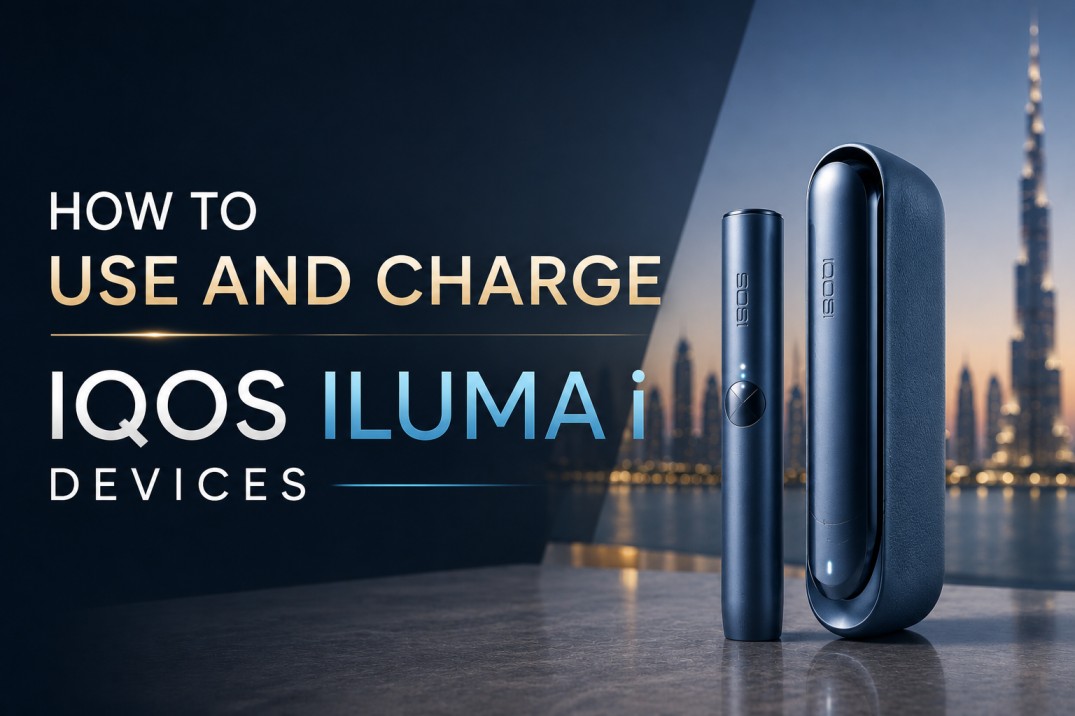
How Do You Use and Charge an IQOS ILUMA i Device?
Insert a TEREA stick into the holder until you feel it vibrate. The device heats automatically. When the session ends after up to 14 puffs or 6 minutes, remove the stick and discard it. To charge, place the holder back into the pocket charger (for ILUMA i Standard and Prime) or connect the USB-C cable directly (for ILUMA i One). A full pocket charger charge takes approximately 135 minutes and provides up to 20 sessions.
That is the core process. This full guide covers every detail of the three ILUMA i devices, their unique features, charging best practices for UAE conditions, and common mistakes Dubai users make when setting up their device for the first time.
Understanding the IQOS ILUMA i Range: Three Devices, One Technology
Before covering the step-by-step usage process, it is important to understand exactly which devices this guide applies to and how they differ from each other.
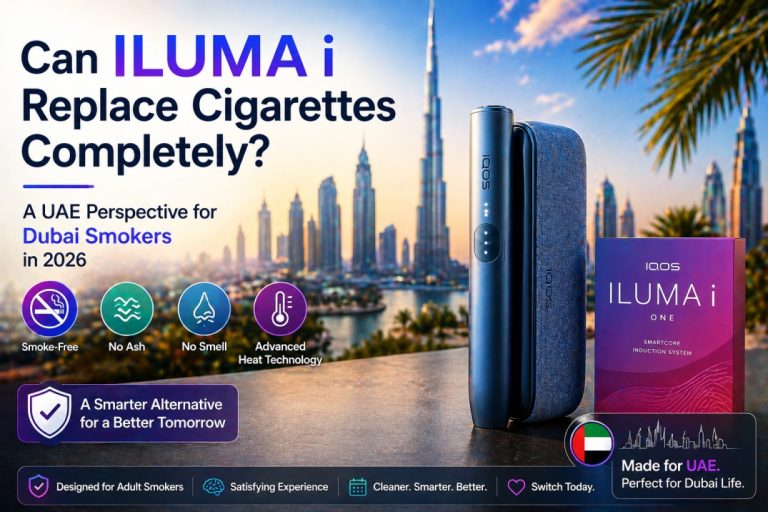
The IQOS ILUMA i series is the newest generation of IQOS heat-not-burn devices, built on the same Smartcore Induction Technology as the original ILUMA range but with significant feature upgrades including FlexPuff, FlexBattery, Pause Mode, and an interactive touch screen on the Prime model.
There are three devices in the ILUMA i lineup, available now at IQOS Terea Zone with 1 to 2 hour delivery across Dubai, Sharjah, and Ajman:
IQOS ILUMA i Standard The balanced daily-use device. Comes with a separate holder and pocket charger. Up to 20 sessions per full pocket charger charge. Compact, reliable, built for everyday use across Dubai’s commuter lifestyle.
IQOS ILUMA i One The all-in-one device. No separate holder and charger components. The entire device charges via USB-C as a single unit. Ideal for users who want the simplest possible daily carry.
IQOS ILUMA i Prime The premium flagship. Includes an interactive touch screen, FlexPuff technology, FlexBattery with Performance Mode and Eco Mode, Pause Mode, and the most refined build quality in the ILUMA i range. The preferred choice for professional users in Downtown Dubai, DIFC, and Business Bay.
All three devices are compatible exclusively with TEREA sticks. They do not work with HEETS or any other heated tobacco format. Browse the full TEREA sticks range to find your correct flavor before your first session.
What Is Inside the IQOS ILUMA i Box?
When your IQOS ILUMA i device arrives from IQOS Terea Zone, your package will contain the following components depending on the model:
IQOS ILUMA i Standard Box Contents
- ILUMA i Standard Holder
- ILUMA i Standard Pocket Charger
- USB-C charging cable
- Power adapter
- Quick start guide
- Safety and warranty documentation
IQOS ILUMA i One Box Contents
- ILUMA i One device (single unit)
- USB-C charging cable
- Power adapter
- Quick start guide
- Safety and warranty documentation
IQOS ILUMA i Prime Box Contents
- ILUMA i Prime Holder
- ILUMA i Prime Pocket Charger
- USB-C charging cable
- Power adapter
- Quick start guide
- Safety and warranty documentation
Before your first session, verify all components are present. If anything is missing from your IQOS Terea Zone order, contact support immediately via WhatsApp at +971 56 941 5257.
Step-by-Step: How to Set Up Your IQOS ILUMA i for the First Time in Dubai
Step 1 — Charge the Device Fully Before First Use
This step is non-negotiable. Using any ILUMA i device before its first full charge degrades battery calibration from the start, which affects long-term battery performance.
For ILUMA i Standard and ILUMA i Prime: Connect the pocket charger to the power adapter using the USB-C cable. Plug into a wall socket. The pocket charger’s status lights will illuminate during charging and remain fully lit when the charge is complete. Allow approximately 135 minutes for a full charge from zero. Once the pocket charger is fully charged, insert the holder into the pocket charger and allow the holder to reach full charge as well. Holder status lights confirm charge level.
For ILUMA i One: Connect the USB-C cable directly to the device’s charging port. Plug into the power adapter. The LED indicators on the device show charging progress. A full charge takes approximately 75 to 90 minutes.
UAE Heat Warning: Never charge any ILUMA i device in direct sunlight or in a hot car. Dubai summer temperatures inside a parked vehicle can exceed 55 degrees Celsius, which causes serious battery damage. Always charge indoors at room temperature.
Step 2 — Power On the Device
ILUMA i Standard and ILUMA i Prime: Press and hold the button on the pocket charger for 4 seconds. Release. The status lights on both the pocket charger and the holder will illuminate, confirming the device is active and ready.
ILUMA i One: Press and hold the button on the device for 4 seconds. The LED ring will illuminate, confirming the device is powered on.
Step 3 — Check Battery Level Before Your First Session
ILUMA i Standard: The pocket charger status light bar shows the current charge level. A fully lit bar indicates a full 20 sessions of available charge. Each division of the light bar represents approximately 4 sessions.
ILUMA i Prime: The interactive touch screen on the holder shows remaining sessions as a number. Two dashes indicate 2 sessions available in the holder. One dash indicates 1 session. No display or a zero reading means the holder needs to recharge inside the pocket charger. The pocket charger’s light strip shows overall charge level. A fully lit strip confirms up to 20 sessions of total available charge.
ILUMA i One: The LED ring on the device shows battery level. Four segments fully lit indicates a full charge. Each segment represents approximately 25% of battery capacity and roughly 5 sessions.
Step 4 — Insert the TEREA Stick Correctly
This is where many new Dubai users make their first mistake. Correct insertion is essential for the Autostart feature to work properly and for the session to heat evenly.
- Remove a TEREA stick from the pack. Handle it at the filter end — the white end with the colored band. Do not touch the tobacco end.
- Align the tobacco end of the TEREA stick with the opening of the holder.
- Slide the TEREA stick straight down into the holder, in a smooth, direct motion. Do not twist. Do not push past the filter line. The stick is fully inserted when it sits flush with the holder opening and you feel a single vibration from the holder.
- The vibration confirms that Autostart has detected the stick. Preheating begins immediately. You do not need to press any button.
- Preheating takes approximately 20 seconds. The holder’s status light blinks during preheating. On the ILUMA i Prime, the touch screen shows a preheating progress indicator.
- A second vibration signals that the device is ready. Your session begins now.
Critical: Only use authentic TEREA sticks in your ILUMA i device. Never use HEETS, third-party heated tobacco sticks, or counterfeit TEREA. Non-genuine sticks do not contain the Smartcore metal element and will not trigger the induction system. Forcing non-compatible sticks into the holder can permanently damage the device.
Step 5 — Using the Device During a Session
Each TEREA session on an IQOS ILUMA i device lasts up to 6 minutes or 14 puffs, whichever comes first.
Take slow, consistent draws. Do not puff quickly in rapid succession. The induction heating system heats the tobacco at a controlled rate designed for moderate draw speed. Quick successive draws do not increase satisfaction and may cause the stick to overheat.
During the session, the holder’s status light remains steady, confirming the session is active.
Approximately two minutes or two puffs before the session ends, the holder vibrates twice as a warning. This gives you time to take your final draws at your own pace rather than being cut off unexpectedly.
At session end, the holder vibrates and the status light fades. On the ILUMA i Prime, the touch screen shows session completion.
Step 6 — Remove the TEREA Stick After the Session
Pull the used TEREA stick straight up and out of the holder. Do not twist it. Twisting can cause the outer paper of the stick to separate and leave residue inside the holder opening.
Discard the used stick in any waste bin. Used TEREA sticks produce no ash and minimal residue. The sealed construction of TEREA means there is nothing to clean inside the device after removal.
Step 7 — Recharge the Holder Between Sessions
ILUMA i Standard and ILUMA i Prime: After removing the used TEREA stick, place the holder back into the pocket charger and close the cover or wrap. The magnetic connection between the holder and pocket charger aligns automatically. The holder recharges for the next session while stored in the pocket charger. Holder recharge between sessions typically takes 3 to 4 minutes.
ILUMA i One: The ILUMA i One does not have a separate holder. The entire device is the session unit. After your session, the device cools and is ready for the next session once its battery holds sufficient charge. For consecutive sessions throughout the day, carry the USB-C cable and a power bank to top up when needed.
How FlexPuff, Pause Mode, and FlexBattery Work on the IQOS ILUMA i
The IQOS ILUMA i series introduces three features that are not available on earlier IQOS devices. Understanding how these work turns a basic user into someone who gets significantly more from their device every day.
FlexPuff: Up to 4 Extra Puffs Per Session
FlexPuff is available on all IQOS ILUMA i devices. It monitors how you draw from the device during a session. If your puffs are lighter and more measured than average, the device may extend the session by up to 4 additional puffs, still within the 6-minute time limit.
FlexPuff does not activate for every session and does not activate when Pause Mode is used. It responds to your personal drawing style. Users who take longer, slower draws are more likely to trigger FlexPuff and receive the extended experience.
There is no setting to turn FlexPuff on or off. It operates automatically when conditions are met.
Pause Mode: Pause and Resume a Session
Pause Mode allows you to pause an active TEREA session for up to 8 minutes and then resume it. This is particularly useful for Dubai professionals who need to pause mid-session for a meeting, a phone call, or entering an indoor space.
To activate Pause Mode on the ILUMA i Prime, double-tap the touch screen during an active session. On the ILUMA i Standard and One, double-press the device button.
Important conditions for Pause Mode:
- Available only during the first 3 minutes or first 8 puffs of a session
- Only available in Performance Mode, not in Eco Mode
- If you do not resume the session within 8 minutes, the holder automatically switches off and the session ends
- Pause Mode is available for one of the two consecutive sessions when using Performance Mode with pause
FlexBattery: Performance Mode and Eco Mode
FlexBattery gives ILUMA i users control over how the holder battery is used. It operates in two modes:
Performance Mode (default): The holder can run up to 3 consecutive sessions without pause, or up to 2 consecutive sessions with Pause available for one of them. This is the standard daily-use setting for most Dubai users. Maximum session flexibility within a single holder charge.
Eco Mode: The holder runs one session at a time. Pause Mode is not available in Eco Mode. In exchange, Eco Mode can extend holder battery lifespan by up to one year when used exclusively throughout the lifespan of the device. This is the right choice for users who prioritize device longevity over session flexibility.
To switch between Performance Mode and Eco Mode, use the IQOS app. The IQOS app is available for iOS and Android and can also be used to monitor battery health, update device firmware, and access device diagnostics.
How to Charge IQOS ILUMA i Devices Correctly: Full Charging Guide
Charging the ILUMA i correctly is directly responsible for battery health and long-term device performance. In Dubai’s climate, where heat is an additional variable that affects lithium-ion batteries, charging discipline matters more than it does in cooler environments.
Charging the IQOS ILUMA i Standard
- Connect the USB-C cable to the pocket charger’s charging port.
- Connect the other end to the manufacturer-provided power adapter.
- Plug into a wall socket at room temperature. Never charge in a hot car, on a windowsill in direct sunlight, or in any location where ambient temperature exceeds 35 degrees Celsius.
- The pocket charger’s light bar blinks during charging.
- A full charge from zero takes approximately 120 to 135 minutes.
- When the light bar is fully and steadily lit, the pocket charger is fully charged and capable of 20 holder charge cycles.
- Insert the holder into the pocket charger after each session to top it up between uses.
Charging the IQOS ILUMA i One
- Connect the USB-C cable directly to the ILUMA i One’s charging port at the base of the device.
- Connect to the power adapter and wall socket.
- The LED ring on the device pulses during charging.
- A full charge from zero takes approximately 75 to 90 minutes.
- The ILUMA i One supports pass-through charging, meaning you can use the device while it is connected to power via a power bank. This is particularly useful during long days, travel between Dubai and Abu Dhabi, or extended working hours.
Charging the IQOS ILUMA i Prime
- Connect the USB-C cable to the pocket charger’s charging port.
- The light strip on the pocket charger illuminates during charging and stays fully lit when complete.
- Full charge time is approximately 135 minutes.
- The ILUMA i Prime pocket charger holds enough charge for 20 holder sessions.
- After each session, return the holder to the pocket charger with the cover closed. The magnetic alignment ensures reliable connection every time.
- The touch screen on the holder shows a battery icon when the holder is charging inside the pocket charger.
Battery Best Practices for UAE Conditions
Avoid full discharge. Letting any ILUMA i device drain to zero regularly degrades the lithium-ion battery faster. Ideally, recharge before battery level drops below 20%.
Do not leave charging overnight repeatedly. Although ILUMA i devices have overcharge protection circuits, repeatedly leaving them on charge for 8 to 10 hours shortens battery lifespan over time.
Charge at room temperature. Dubai ambient indoor temperatures of 22 to 26 degrees Celsius are ideal for charging. Charging at temperatures above 35 degrees, such as in a car or on a sun-facing balcony, causes permanent battery capacity loss over time.
Use the original USB-C cable and adapter. The IQOS power adapter is designed specifically for the device’s charging protocol. Generic or ultra-cheap third-party chargers may not deliver the correct amperage, resulting in slower charging and in some cases instability that affects battery health.
Carry the pocket charger daily. Dubai working days commonly run 10 to 12 hours. A fully charged ILUMA i Standard or Prime pocket charger provides 20 sessions, which covers most users through a full day. If your usage is higher than 20 sessions per day, bring the USB-C cable and a power bank.
IQOS ILUMA i vs Original IQOS ILUMA: What Changed?
Many users in Dubai are upgrading from the original ILUMA range. Understanding exactly what changed helps clarify why the upgrade is worth making.
The original IQOS ILUMA Standard, IQOS ILUMA One, and IQOS ILUMA Prime Kit remain excellent devices fully compatible with all TEREA sticks. If you own one of these, it will continue to perform reliably. The core bladeless Smartcore Induction Technology is identical across both generations.
What the ILUMA i series adds:
| Feature | IQOS ILUMA (Original) | IQOS ILUMA i |
| FlexPuff (up to 4 extra puffs) | Not available | Available on all three models |
| Pause Mode (pause and resume up to 8 min) | Not available | Available on all three models |
| FlexBattery (Performance + Eco Mode) | Not available | Available on all three models |
| Interactive touch screen | Not available | Available on ILUMA i Prime |
| Consecutive sessions (Performance Mode) | 2 sessions | Up to 3 sessions without pause |
| TEREA stick compatibility | Full range | Full range |
| Bladeless Smartcore Induction | Yes | Yes |
| Cleaning required | None | None |
The upgrade from original ILUMA to ILUMA i is most meaningful for users who frequently need to pause mid-session, who want extended session flexibility, or who use the Prime model and value the interactive touch panel for session control.
Common Mistakes Dubai Users Make With IQOS ILUMA i Devices
Mistake 1 — Using HEETS instead of TEREA sticks. HEETS do not contain the Smartcore metal heating element. The ILUMA i’s induction system will not detect them. Do not attempt to force HEETS into the holder. Use only TEREA sticks from the correct range.
Mistake 2 — Twisting the stick during removal. Pulling the used TEREA stick out with a twisting motion separates the outer paper layer and can leave material in the holder opening. Always pull straight up.
Mistake 3 — Charging in a hot car or direct sunlight. This is especially critical in Dubai from May through September. Heat charging is one of the most common causes of premature battery capacity loss in ILUMA devices in the UAE. Always charge indoors.
Mistake 4 — Not waiting for the preheating cycle to complete. Attempting to draw from the device before the second vibration means you are drawing from a partially heated tobacco stick. The vapor quality and flavor intensity are significantly lower before the stick reaches full operating temperature. Wait for the second vibration every time.
Mistake 5 — Removing the stick before session end. Pulling the TEREA stick out mid-session wastes the remaining tobacco and delivers incomplete satisfaction. Let the session complete naturally. The end-of-session vibration is your signal.
Mistake 6 — Using counterfeit TEREA sticks. Counterfeit TEREA sticks circulating in Dubai’s informal market lack the precise Smartcore metal element required for induction activation. They heat unevenly, produce poor flavor, and in some cases damage the device’s induction coil. Every TEREA stick available at IQOS Terea Zone is 100% authentic.
Mistake 7 — Ignoring the Eco Mode option for a device you plan to keep for 2+ years. If you are not a power user who needs Pause Mode, switching to Eco Mode via the IQOS app can extend your holder battery lifespan by up to a year. This is worth activating if you plan to keep your device long-term.
Which TEREA Flavor Should You Use With Your IQOS ILUMA i?
The device setup is only half the experience. Pairing your ILUMA i with the right TEREA flavor is equally important. The wrong flavor choice is the most common reason new users in Dubai feel unsatisfied with their device in the first week.
Here is a quick reference matched to cigarette type:
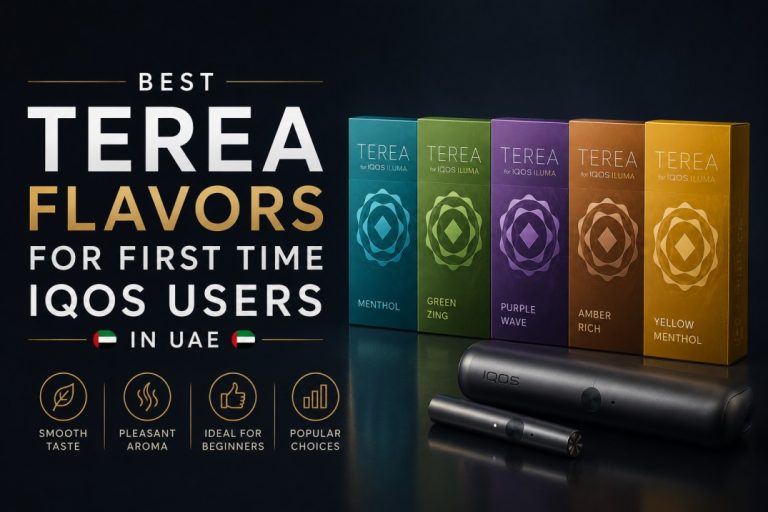
Strong cigarette smokers (Marlboro Red, Winston): Start with TEREA Bronze Sticks for full-bodied intensity, or TEREA Sienna Sticks for woody warmth alongside strong tobacco.
Medium cigarette smokers (Marlboro Gold, Parliament): TEREA Amber Sticks are the correct starting point. The best-selling TEREA flavor across the UAE for a reason.
Light cigarette smokers (Marlboro Silver, Esse): TEREA Silver Sticks deliver the smooth, mild, clean experience that light cigarette smokers expect.
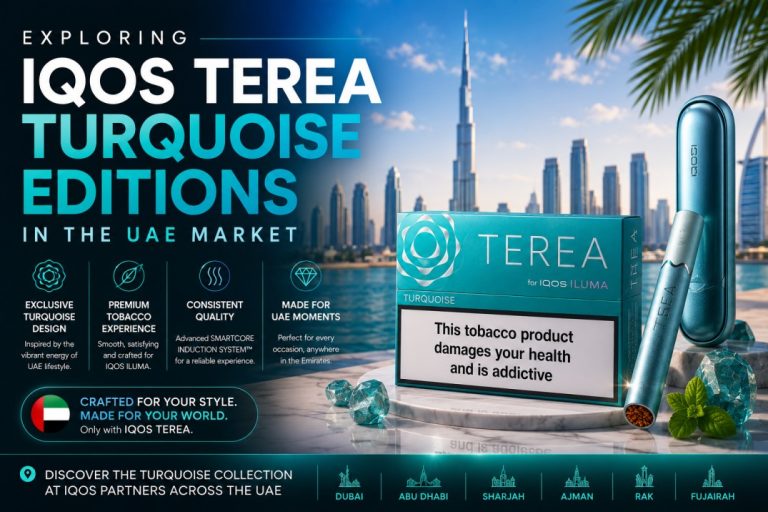
Menthol cigarette smokers: TEREA Turquoise Sticks are the closest match. TEREA Purple Wave Sticks add berry notes for users who want more than just cooling.
Ultra-light or aromatic smokers: TEREA Yellow Sticks for herbal lightness, TEREA Oasis Pearl Sticks for a capsule-burst aromatic experience.
For an in-depth flavor-by-flavor analysis with strength ratings and UAE user preferences, read the best TEREA flavors guide for IQOS ILUMA users. For flavors specifically recommended based on ILUMA i device compatibility and user experience patterns in 2026, read the guide on top TEREA flavors to try with IQOS ILUMA i devices in UAE.
Exploring International TEREA Editions With Your ILUMA i Device
Once comfortable with your starter flavor, the IQOS ILUMA i system is the ideal platform for exploring the full international TEREA range. Every TEREA stick from every production country is fully compatible with all three ILUMA i devices.
TEREA from Japan — Refined, precise tobacco profiles. Popular among UAE users who prefer clean, smooth sessions without intensity.
TEREA from Kazakhstan — Accessible, reliable, and among the best-value country editions available in Dubai. Broad range with strong daily-use options.
TEREA from Indonesia — High intensity profiles and the widest variety of menthol and aromatic blends in any single-origin range. The choice for users who want more than the standard lineup delivers.
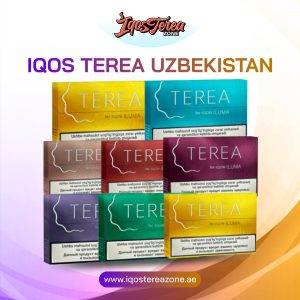
TEREA from Uzbekistan — Distinctive, robust tobacco character. Growing rapidly in the UAE market.
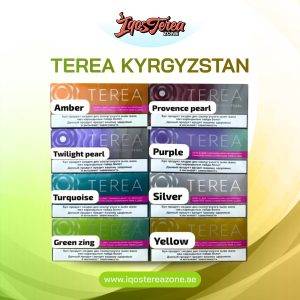
TEREA from Kyrgyzstan — Strong value-to-quality positioning with a developing following among experienced UAE users.
Browse the full TEREA by country collection to shop all available origin editions in one place.
Maintenance and Care for Your IQOS ILUMA i in Dubai
Because the IQOS ILUMA i uses Smartcore Induction Technology with no blade contact, there is no internal holder cleaning required. This is one of the most significant practical advantages of the ILUMA i series over any blade-based device.
However, living in Dubai requires two specific maintenance considerations that users in cooler, less dusty climates do not face:
Contact point maintenance: Dubai’s sandy environment means fine dust and sand particles can settle on the holder’s charging contacts and inside the pocket charger’s holder slot. Wipe the charging contacts on the holder and the inside of the pocket charger slot weekly with a dry cloth or clean cotton swab. Do not use water or liquid cleaners on any metal contact surface.
Temperature management: Never leave your ILUMA i device in a car between April and October. Always carry it on your person or store it in an indoor bag. Exposure to temperatures above 45 degrees Celsius degrades the lithium-ion battery in the holder and pocket charger over time, reducing the number of sessions available per full charge.
Firmware updates: Connect your ILUMA i to the IQOS app periodically to check for firmware updates. Updates sometimes improve session consistency, battery management efficiency, and device responsiveness. The app is free for iOS and Android.
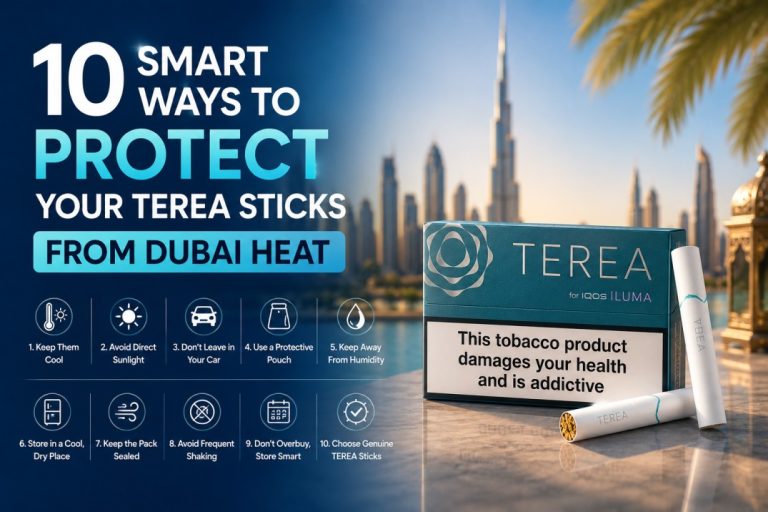
TEREA stick storage: Store your TEREA packs in their sealed packaging away from heat and direct sunlight. In Dubai summer conditions, avoid leaving packs in cars or near windows. Properly stored TEREA sticks maintain full flavor quality for the duration of their shelf life.
Using IQOS ILUMA i Across Dubai and the UAE
Downtown Dubai, DIFC, and Business Bay
Professional users in high-rise offices value the ILUMA i Prime’s Pause Mode above all other features. The ability to pause mid-session for a meeting or a quick call, then resume within 8 minutes, makes the ILUMA i Prime the right device for this area’s working culture. Delivery to Downtown Dubai is available within 1 to 2 hours from IQOS Terea Zone.
Dubai Marina and JBR
Active lifestyle users in waterfront residential buildings prefer the ILUMA i One for its single-unit simplicity. No separate holder and charger to manage means fewer parts to carry between gym sessions, beach visits, and social events. TEREA Turquoise and Purple Wave trend strongly in this area.
Deira and Bur Dubai
High-volume daily users in these areas report strong satisfaction with the ILUMA i Standard’s 20-session capacity. The separation of holder and pocket charger means the holder charges quickly between sessions without requiring the user to stop and wait.
Sharjah and Ajman
Family-based users who prioritize device simplicity tend toward the ILUMA i One. The bladeless, no-cleaning design is particularly appreciated in household settings where device maintenance is a low-priority concern. Delivery to both areas is available within 1 to 2 hours.
Abu Dhabi and Al Ain
Demand for ILUMA i devices in Abu Dhabi and Al Ain is served by IQOS Terea Zone’s UAE-wide delivery network within 12 hours. Abu Dhabi users show strong preference for the ILUMA i Prime, consistent with the professional and premium-conscious consumer profile of the capital.
When to Contact a Specialist in Dubai
Most IQOS ILUMA i setup and charging questions are resolved by following this guide. Contact a specialist in these situations:
The device does not activate when a TEREA stick is inserted. This is almost always caused by using non-genuine TEREA sticks. If you have confirmed the sticks are authentic and the device still fails to activate, the device may need servicing.
Battery life drops significantly after a few months. A notable reduction in sessions per full charge earlier than expected often indicates the device has been regularly exposed to high temperatures during charging or storage. A specialist can assess whether this is a usage pattern issue or a device fault.
You want help choosing between Performance Mode and Eco Mode. The right mode depends on your daily usage volume. A specialist can recommend the correct setting based on how many sessions you typically use per day.
You are upgrading from an original ILUMA and want to confirm flavor compatibility. All TEREA sticks are compatible with both generations, but a specialist can confirm the exact best-match flavors from the how UAE smokers decide which TEREA flavor to pick guide and help you set up your first ILUMA i order correctly.
Contact IQOS Terea Zone via WhatsApp 24/7 at +971 56 941 5257.
Why Buy Your IQOS ILUMA i From IQOS Terea Zone in Dubai
IQOS Terea Zone is among the most trusted sources for authentic IQOS ILUMA i devices and TEREA sticks in Dubai and across the UAE.
Device range: The full IQOS ILUMA i lineup including ILUMA i Standard, ILUMA i One, and ILUMA i Prime are in stock. The original IQOS ILUMA range is also available for users who prefer the previous generation.
TEREA range: Every popular flavor and every country-edition origin is in stock. Browse the complete selection at iqostereazone.ae/shop.
Authenticity: Every device and every TEREA stick is 100% genuine. No counterfeit risk.
Delivery: 1 to 2 hours across Dubai, Sharjah, and Ajman. UAE-wide within 12 hours.
Payment: Cash on delivery accepted. All major debit, credit, and international cards accepted.
Free delivery: On all orders AED 450 and above.
Support: 24/7 WhatsApp for order assistance, setup guidance, and product questions.
Lambda TEREA-compatible devices including Lambda i8 and Lambda CC are also available for users exploring TEREA-compatible alternatives to the IQOS ILUMA i range.
Order Your IQOS ILUMA i Device in Dubai Today
Shop now at iqostereazone.ae/shop Call or WhatsApp: +971 56 941 5257 Free delivery on orders AED 450 and above. 1 to 2 hour delivery across Dubai, Sharjah, and Ajman.
Frequently Asked Questions (FAQs)
How long does it take to fully charge an IQOS ILUMA i device in Dubai?
The IQOS ILUMA i Standard and ILUMA i Prime pocket chargers take approximately 135 minutes for a full charge from zero. The IQOS ILUMA i One charges in approximately 75 to 90 minutes. After a full charge, the pocket charger provides up to 20 TEREA sessions.
Can I use the IQOS ILUMA i while it is charging in Dubai?
For the IQOS ILUMA i One, yes. It supports pass-through charging so you can use it while connected to a power bank via USB-C. For the IQOS ILUMA i Standard and Prime, the holder charges inside the pocket charger between sessions, meaning you alternate between using and recharging rather than using while connected to power.
What happens if I insert a HEETS stick into an IQOS ILUMA i device?
The ILUMA i will not activate. HEETS do not contain the Smartcore metal heating element required for the induction system. The device will not detect them and will not start a session. Only TEREA sticks are compatible with all IQOS ILUMA i models.
How many sessions does the IQOS ILUMA i Standard give per full charge?
A fully charged IQOS ILUMA i Standard pocket charger provides up to 20 sessions. In Performance Mode, the holder can run up to 3 consecutive sessions without returning to the pocket charger. Each session lasts up to 6 minutes or 14 puffs.
Where can I buy an authentic IQOS ILUMA i device with fast delivery in Dubai?
IQOS Terea Zone delivers authentic IQOS ILUMA i Standard, One, and Prime devices to Dubai within 1 to 2 hours. Visit iqostereazone.ae/shop or contact via WhatsApp at +971 56 941 5257.