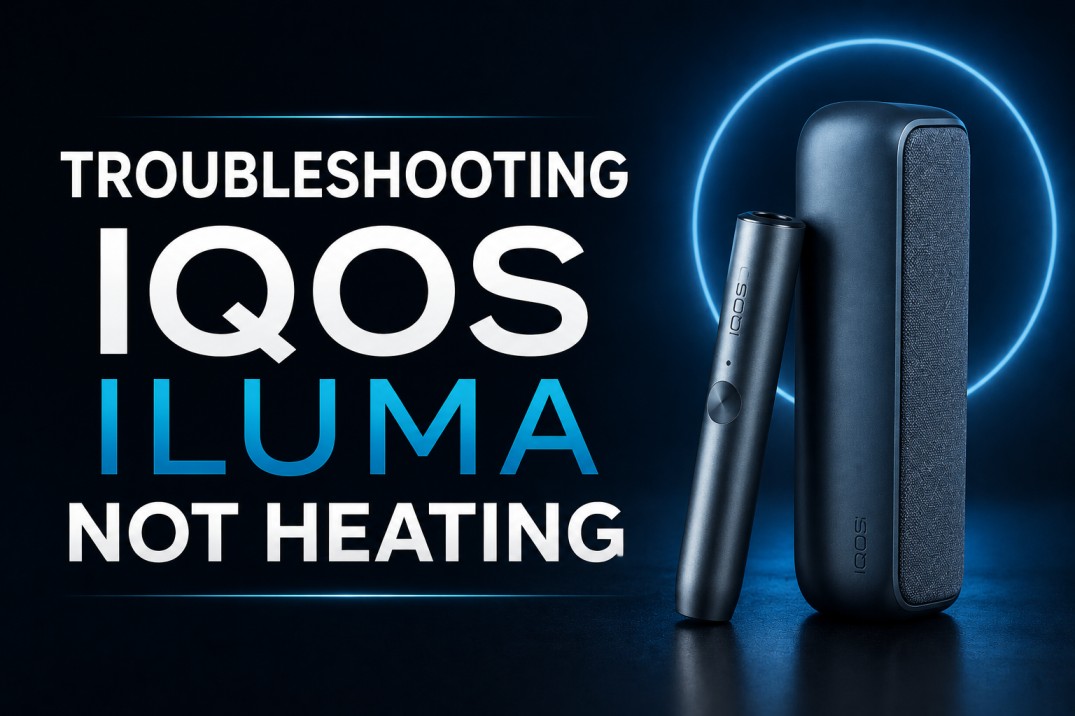
Why Is My IQOS ILUMA Not Heating?
If your IQOS ILUMA is not heating, the most common causes are a depleted battery, an incompatible or incorrectly inserted TEREA stick, the device being outside its operating temperature range, or a firmware issue requiring a reset. In most cases, charging the device fully, performing a reset by holding the button for 10 seconds, and using a fresh genuine TEREA stick resolves the problem within minutes. This guide covers every possible cause and every step-by-step fix for all IQOS ILUMA models including the ILUMA i One, ILUMA i Standard, ILUMA i Prime, and the original ILUMA series available in Dubai and across the UAE.
Why This Guide Matters for IQOS ILUMA Users in Dubai
Dubai’s extreme climate, the prevalence of counterfeit TEREA sticks in parts of the UAE market, and the specific conditions of heavy daily usage make IQOS ILUMA heating issues slightly more common here than in more temperate markets. Understanding exactly why your device stops heating and knowing the correct fix for each specific situation saves you time, prevents unnecessary damage, and avoids a frustrating experience.
Before calling a service center or assuming your device needs replacement, work through the steps in this guide. The vast majority of IQOS ILUMA not heating issues are solvable at home without any professional assistance, and most take less than five minutes to fix.
This guide covers every ILUMA model currently available in the UAE through IQOS Terea Zone: the IQOS ILUMA i One, IQOS ILUMA i Standard, and IQOS ILUMA i Prime, as well as the original ILUMA One, ILUMA Standard, and ILUMA Prime.
Understanding How IQOS ILUMA Heating Works
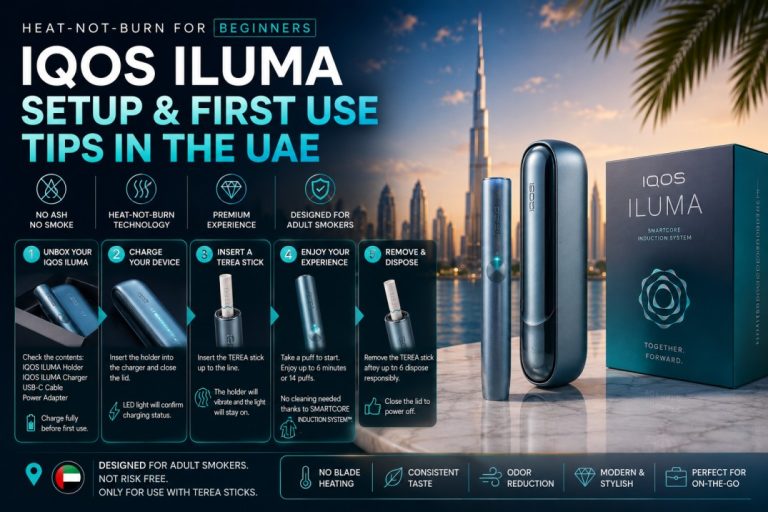
Before troubleshooting, it helps to understand the fundamental heating mechanism of the IQOS ILUMA series. Unlike older IQOS models that used a physical heating blade inserted into a tobacco stick, the ILUMA uses the SMARTCORE Induction System.
This system heats TEREA sticks from the inside using electromagnetic induction. Each TEREA SMARTCORE STICK has a metal heating element sealed inside the stick itself. When you insert a TEREA stick into the ILUMA holder and begin a session, the device generates an electromagnetic field that activates the metal element inside the stick, which then heats the tobacco from within.
This means the ILUMA holder has no blade, no foil, and no external heating element that touches the stick. The holder is simply a chamber that generates the electromagnetic field. For heating to work correctly, three conditions must all be met simultaneously:
The device must have sufficient battery charge to generate the induction field. The stick inserted must be a genuine TEREA SMARTCORE STICK with its intact internal metal element. The device must be within its operating temperature range, which is 0 degrees Celsius to 40 degrees Celsius for standard conditions.
If any one of these three conditions is not met, the device will fail to heat. This understanding immediately tells you where to look when your IQOS ILUMA is not heating.
IQOS ILUMA Light Signals: What Each Pattern Means Before Troubleshooting
Every IQOS ILUMA device communicates its status through a light signal system. Reading these signals correctly before you begin troubleshooting tells you exactly what is wrong before you take any action.
Three Blinking White Lights
Three blinking white lights on the holder indicate that the device is outside its operating temperature range. This happens when the device is too cold, below 0 degrees Celsius, or too hot, above 40 degrees Celsius. In Dubai, this signal most commonly appears when the device has been left in a parked car in summer where interior temperatures exceed 40 degrees Celsius regularly.
Fix: Move the device to a cool, shaded, air-conditioned environment and allow it to reach room temperature for five to ten minutes before attempting another session.
Eight Blinking White Lights
Eight blinking white lights on the holder indicate that the holder has only enough charge for one more session. This is a low battery warning specific to the holder unit on the Standard and Prime models.
Fix: Place the holder inside the pocket charger to recharge it before starting a new session.
Yellow Blinking Light or Yellow Light Strip Base (ILUMA i One)
On the ILUMA i One, a yellow light at the base of the light strip indicates the device battery is low and requires charging.
Fix: Connect the ILUMA i One to its USB-C charger and charge for at least 75 to 90 minutes before use.
No Lights at All
If pressing the button produces absolutely no response and no lights appear, the device battery is fully depleted.
Fix: Connect to the charger immediately. On a fully depleted IQOS ILUMA, it is normal to wait up to 20 minutes before the charging indicator lights appear. Do not assume the device is broken during this window.
Red Light
A red light pattern typically indicates a device error or malfunction. A single red blink may indicate a heating failure. Multiple red blinks may indicate a more serious hardware fault.
Fix: Perform a full device reset before concluding that a hardware fault is present. Reset instructions are covered in detail later in this guide.
Two White Vibrations at the End of a Session
This is not an error. Two vibrations mean your session is complete and the tobacco stick has been fully used. This is the device’s normal end-of-session signal.
Step-by-Step Troubleshooting: IQOS ILUMA Not Heating
Work through these steps in order. Each step addresses a specific cause of the not heating problem. Stop when the device begins heating correctly.
Step 1: Check and Recharge the Battery
The most common reason for an IQOS ILUMA not heating is insufficient battery power. The induction heating system draws significant power and requires a minimum charge level to operate. A device at very low battery may turn on and show lights but fail to generate enough electromagnetic field to heat a stick.
For the ILUMA i Standard and ILUMA i Prime, both the pocket charger and the holder have separate batteries. Even if the pocket charger is fully charged, the holder itself may be depleted. Check the holder charge level separately by removing it from the charger and pressing its button.
For the ILUMA i One, which is an all-in-one design with a single battery, press the button to check the battery indicator. If the bottom segment of the light strip blinks yellow, charge is low.
Action: Connect your device to its original IQOS power adapter and cable. A full charge for the ILUMA i One takes approximately 75 to 90 minutes. A full charge for the ILUMA i Standard and Prime pocket charger takes approximately 2 hours and 15 minutes. After charging, attempt a session.
Important note for Dubai users: charging your device in an air-conditioned environment is important. Charging in heat above 35 degrees Celsius slows the process and can affect long-term battery health. Never charge your device in a parked car or in direct sunlight.
Step 2: Verify You Are Using Genuine TEREA SMARTCORE Sticks
This is the second most common cause of IQOS ILUMA not heating, and it is a particularly relevant issue in the UAE market where counterfeit and incompatible tobacco products are occasionally sold by unverified sellers.
The IQOS ILUMA SMARTCORE Induction System can only be activated by a TEREA SMARTCORE STICK. This compatibility requirement is not optional. The induction system in the device is designed to detect the specific metal element sealed inside genuine TEREA sticks and will not generate a heating session without detecting it.
HEETS sticks, which were compatible with older blade-based IQOS models, are completely incompatible with the ILUMA series. Inserting a HEETS stick into an ILUMA device will result in no heating because the device cannot detect the compatible element. In some cases, forcing a HEETS stick can also cause a fragment to become lodged in the chamber.
Counterfeit TEREA sticks, even if they look identical externally, may have an improperly manufactured internal element that the induction system cannot detect correctly, resulting in a heating failure.
Action: Remove the current stick. Inspect it carefully. Confirm it is a genuine TEREA SMARTCORE STICK purchased from a trusted UAE retailer. Insert a fresh, sealed TEREA stick from a new pack and attempt a session. If the device heats with a fresh, genuine stick but failed with the previous one, the stick itself was either used, damaged, or counterfeit.
To guarantee you always use genuine TEREA sticks in Dubai, order directly from IQOS Terea Zone. Every TEREA stick we sell is verified authentic and sourced from legitimate supply chains.
Step 3: Inspect Stick Insertion Carefully
Even with a genuine TEREA stick, incorrect insertion can prevent the SMARTCORE Induction System from activating properly. The induction system requires the stick’s internal metal element to be positioned at the correct depth within the holder chamber.
The TEREA stick must be inserted firmly all the way down into the holder until it is seated flush with the top of the opening. A partially inserted stick will not trigger heating on most ILUMA models.
On the ILUMA i One specifically, the AutoStart feature requires the stick to be fully inserted. If the stick is partially inserted, AutoStart will not trigger and the device will not begin heating.
Action: Remove the stick and re-insert it carefully. Push it straight down without bending or twisting. You should feel a slight resistance and then the stick settling into its correct position. The top of the stick should sit at or just above the rim of the holder opening. On the ILUMA i Standard and Prime, look for the holder light indicator to confirm that a session has been detected. On the ILUMA i One, AutoStart should activate within a few seconds of correct insertion.
Step 4: Check the Holder Chamber for Debris or Broken Stick Fragments
Although the IQOS ILUMA has no blade, debris can still accumulate inside the holder chamber over time. Tobacco particles, fiber fragments from filter sections, and in rare cases a broken stick end can all obstruct the chamber and prevent a new stick from seating correctly for induction heating.
This is more likely to occur after heavy usage, typically after several months of multiple daily sessions, or if a TEREA stick has ever broken mid-session and left material inside the device.
Action: Switch off the device completely by holding the button for four seconds. Allow the device to cool for at least two minutes. Open the cap and look inside the chamber with a light source. If you see any visible debris or a stuck fragment, use a wooden toothpick to carefully dislodge and remove it. Never use metal objects inside the chamber as these can damage the internal surface and the induction mechanism. Never use liquids, cleaning alcohol, or wet cotton swabs inside the chamber. Use only dry tools. After clearing any debris, insert a fresh TEREA stick and attempt a session.
For the ILUMA i Standard and Prime, check both the holder and ensure the pocket charger connection point is clean and free of any material.
Step 5: Bring the Device Back to Operating Temperature
The IQOS ILUMA series operates between 0 degrees Celsius and 40 degrees Celsius. Outside this range, the device has a built-in safety mechanism that prevents heating to protect both the device and the user.
In Dubai, exceeding the upper temperature limit is a common real-world issue. Summer temperatures in Dubai regularly reach 42 to 46 degrees Celsius outdoors, and vehicle interiors can reach 70 to 80 degrees Celsius. If your IQOS ILUMA has been left in a hot car, on an outdoor surface in direct sun, or in any other environment above 40 degrees Celsius, it will refuse to heat until it cools down within the safe range.
When this happens, the device typically shows three blinking white lights on the holder as described in the light signals section above.
Action: Move the device immediately to an air-conditioned indoor environment. Place it on a cool surface, not directly under an air conditioning vent, as extreme rapid cooling can cause condensation. Allow the device to cool naturally for five to ten minutes. Then attempt a session. The device will resume normal heating once it detects it is within the safe temperature range.
In Dubai’s summer months from June through September, always keep your IQOS ILUMA in a bag, pocket, or other protected space when outdoors rather than leaving it on exposed surfaces.
Step 6: Perform a Full Device Reset
If the device has sufficient battery, you are using genuine TEREA sticks correctly inserted, the chamber is clear, and the temperature is within range, but the device still fails to heat, a firmware glitch or software freeze is the likely cause.
The IQOS ILUMA has a built-in reset function that clears temporary errors, resolves frozen states, and restores default settings without deleting any permanent configurations.
How to reset the IQOS ILUMA i Standard and ILUMA i Prime:
Place the holder inside the pocket charger. Press and hold the button on the side of the pocket charger for 10 seconds. Continue holding until all the status lights blink and then fade out completely. Release the button. Wait for the lights to slowly fade back in, which confirms the reset is complete. The device will also vibrate to confirm the reset.
How to reset the IQOS ILUMA i One:
Press and hold the ON/OFF button on the ILUMA i One for 10 seconds until all status lights fade out. Release the button. Wait for the lights to fade back in and for the device to vibrate, confirming the reset is complete.
How to reset the original IQOS ILUMA and ILUMA Prime (non-i models):
The reset process is identical. Place the holder in the pocket charger, hold the charger button for 10 seconds until lights blink and fade, then release and wait for confirmation.
After the reset is complete, insert a fresh TEREA stick and attempt a session. In the vast majority of software-related heating failures, the reset resolves the issue immediately.
Step 7: Update Device Firmware via the IQOS App
Outdated firmware can cause heating inconsistencies and unresponsiveness on IQOS ILUMA devices. Philip Morris International releases periodic firmware updates that improve heating performance, fix known bugs, and enhance the overall reliability of the SMARTCORE Induction System.
Download the official IQOS app on your smartphone if you have not already done so. The app is available for both iOS and Android. Enable Bluetooth on your phone and connect your ILUMA device to the app. Navigate to the device settings section and check for available firmware updates. If an update is available, follow the in-app instructions to install it. The update process typically takes two to five minutes and requires the device to remain connected throughout.
After updating, perform a session test with a fresh TEREA stick.
Step 8: Test With a Different USB-C Cable and Power Adapter
If the device is not heating due to what appears to be a battery issue but charging does not seem to resolve it, the problem may be with the charging cable or adapter rather than the device itself.
Use only the original IQOS power adapter and USB-C cable that came with your device for charging. Third-party chargers and cables, even high-quality ones, can deliver inconsistent power output that prevents the device from reaching a full charge. Charging through a laptop USB port is also insufficient as laptop USB ports deliver lower power output that slows charging significantly.
Action: Try charging with the original cable and adapter plugged directly into a wall outlet for at least 30 minutes. If the device was previously being charged through a laptop or a third-party adapter, switching to the original equipment often resolves persistent charging-related heating failures.
Step 9: Check for Physical Damage
Inspect the holder and pocket charger for visible physical damage including cracks, dents to the holder body, bent connection pins between the holder and charger, or any signs of liquid damage such as discoloration or residue near the connection ports.
Physical damage to the holder can affect the induction coil or its connections, preventing proper electromagnetic field generation and therefore preventing heating. Damage to the connection points between the holder and charger can prevent the holder from receiving charge, which then causes a heating failure due to insufficient battery.
If you identify physical damage, do not attempt to repair it yourself. Contact an authorized IQOS service point in Dubai.
Dubai-Specific Heating Issues: What to Watch For
Several heating problems are significantly more common among IQOS ILUMA users in Dubai than in other markets due to local conditions.
Overheating in Summer
As detailed in Step 5, Dubai’s summer temperatures are the leading local cause of the device refusing to heat. The three blinking white light signal is seen far more frequently in UAE user reports during June through September than at any other time of year. Always protect your device from direct sun and vehicle interiors during summer months.
Battery Degradation From Heat Exposure
Repeated exposure to temperatures above 35 degrees Celsius, even without reaching the 40-degree cutoff that triggers the safety mechanism, gradually degrades the lithium-ion battery inside your IQOS ILUMA holder and pocket charger. Battery degradation manifests as shorter sessions per charge, longer charging times, and eventually an inability to reach the charge level needed for reliable heating.
If your device is several months old and has been used heavily in Dubai’s summer conditions, battery degradation may be contributing to heating problems. The IQOS app can help you assess battery health on connected devices.
Counterfeit TEREA Sticks Causing Detection Failures
The UAE market has seen a measurable volume of counterfeit TEREA sticks, particularly in informal retail channels and some online marketplaces not affiliated with authorized retailers. Counterfeit sticks with improperly manufactured internal elements are the third most reported cause of IQOS ILUMA not heating among Dubai users, after low battery and temperature issues.
Always purchase your TEREA sticks from Kazakhstan, Japan, or Indonesia from IQOS Terea Zone to eliminate counterfeit risk entirely.
Model-Specific Troubleshooting Notes
IQOS ILUMA i One Not Heating
The ILUMA i One is the most compact model and uses AutoStart, meaning it begins heating automatically when a stick is inserted without requiring a button press. If your ILUMA i One is not heating after stick insertion, the most common causes are insufficient charge, an improperly inserted stick that AutoStart has not detected, or a firmware issue.
Because the ILUMA i One is an all-in-one device with no separate holder and charger, checking battery level and performing a reset are both done on the single device body. The reset requires holding the single ON/OFF button for 10 seconds.
One unique situation on the ILUMA i One: if the stick was inserted before the device was fully switched on, AutoStart may not trigger. Switch the device on first, wait for the ready light, then insert the stick.
IQOS ILUMA i Standard Not Heating
On the ILUMA i Standard, heating failures are often related to the holder rather than the pocket charger. The holder has its own small battery that powers the induction process. Even with a fully charged pocket charger, if the holder battery is depleted, no heating will occur.
Check the holder charge level by tapping the holder button while it is removed from the charger. If only one light shows or no lights show, place the holder back in the charger for several minutes before attempting a session. The full holder charge time is approximately 90 minutes from empty.
The Pause Mode on the ILUMA i Standard can also cause confusion. If you activated Pause Mode during a session and the eight-minute window has elapsed, the session terminates automatically. This is not a heating failure. Insert a new stick to begin a fresh session.
IQOS ILUMA i Prime Not Heating
The ILUMA i Prime’s premium build includes additional sensors and a more sophisticated firmware system that can occasionally produce error states after heavy use or firmware corruption. If all basic troubleshooting steps fail to resolve a heating issue on the ILUMA i Prime, performing a firmware update via the IQOS app is particularly important for this model as Prime firmware updates are released more frequently than for other models.
The magnetic cover on the ILUMA i Prime should always be fully closed during sessions. An improperly closed cover can interrupt the session on some firmware versions.
What Not to Do When Your IQOS ILUMA Is Not Heating
These common mistakes can make the problem worse or permanently damage your device.
Never insert any metal object into the holder chamber. Toothpicks and soft brushes only.
Never use liquids inside the heating chamber. The chamber is designed for dry use only. Moisture damages the induction system.
Never attempt to use HEETS, other tobacco sticks, or any object other than a genuine TEREA SMARTCORE STICK in the ILUMA holder.
Never try to disassemble any part of the IQOS ILUMA device. The warranty is voided by unauthorized disassembly and the induction components are not user-serviceable.
Never leave the device charging overnight or for extended periods beyond a full charge cycle as this contributes to battery degradation, particularly in Dubai’s hot climate.
Never attempt to charge the device in temperatures above 35 degrees Celsius. Charging in heat is one of the fastest ways to permanently degrade your ILUMA battery.
Never blow into the holder chamber to remove debris. Use dry tools only.
Preventive Maintenance: Keep Your IQOS ILUMA Heating Reliably
Following these maintenance habits will significantly reduce the frequency of heating problems with your IQOS ILUMA device in Dubai.
Keep the holder cap closed between sessions. The cap prevents dust, humidity, and debris from entering the chamber. Dubai’s dusty environment means this is particularly important. A few grains of fine sand or dust inside the chamber can accumulate over days and eventually affect stick detection.
Charge before fully depleted. Allowing your ILUMA to drain completely before charging accelerates battery wear. Charge when you have two or fewer sessions remaining rather than waiting for full depletion.
Store in a cool, air-conditioned space. As discussed throughout this guide, heat is the primary environmental threat to your device in Dubai. Make storage habits part of your daily routine. Read our full guide on protecting your TEREA sticks and IQOS device from Dubai heat at IQOS Terea Zone blog.
Update firmware regularly. Check the IQOS app monthly for firmware updates. Updated firmware resolves known bugs and maintains heating consistency.
Use only genuine TEREA sticks from trusted sources. One of the best preventive measures against heating failures is simply never exposing your device to counterfeit or incompatible sticks.
Wipe the holder connection pins occasionally. On ILUMA i Standard and Prime models, the connection between the holder and pocket charger relies on metal contact pins. Gently wiping these with a dry cloth every few weeks keeps the connection reliable and prevents charge-related heating problems.
When to Contact an Authorized IQOS Service Center in Dubai
If you have worked through all nine troubleshooting steps above and your IQOS ILUMA is still not heating, it is time to seek authorized support. The following situations specifically indicate a hardware issue that requires professional attention:
The device shows a persistent red light pattern that does not clear after a full reset.
The device has visible physical damage to the holder body, connection pins, or charging port.
The device is less than 12 months old, was purchased from an authorized UAE retailer, and is not heating despite all troubleshooting steps being completed correctly. This situation is likely covered under the standard IQOS warranty.
The device is overheating to the point where it is uncomfortable to touch even when used in normal temperature conditions.
The holder has been dropped into water or exposed to significant moisture.
In Dubai, authorized IQOS support can be accessed through official IQOS UAE customer service channels. Always retain your original purchase receipt and original packaging when seeking warranty service, as these are required for warranty claims.
IQOS ILUMA Support and Replacement Options Across the UAE
Dubai
Dubai has the highest concentration of IQOS users in the UAE. If your IQOS ILUMA cannot be repaired through the troubleshooting steps in this guide, Dubai-based users have access to official IQOS UAE support via phone, chat, and authorized service points. IQOS Terea Zone also serves Dubai-based users with replacement devices delivered within 1 to 2 hours.
Sharjah
Sharjah residents experiencing IQOS ILUMA heating issues can access the same troubleshooting process outlined here. If a replacement device is needed, IQOS Terea Zone delivers to all Sharjah areas within 1 to 2 hours.
Ajman
Ajman-based users can receive a replacement IQOS ILUMA i device from IQOS Terea Zone within 1 to 2 hours. All current ILUMA i models are available for immediate dispatch.
Abu Dhabi
Abu Dhabi users experiencing persistent heating problems can receive a replacement device through IQOS Terea Zone’s UAE-wide 12-hour delivery service.
Ras Al Khaimah, Fujairah, and Other Emirates
All other UAE Emirates are served by our 12-hour nationwide delivery service. If your device requires replacement, we can get a new IQOS ILUMA i to you the same day.
Considering a Device Upgrade? The IQOS ILUMA i Series in 2026
If your current IQOS ILUMA device is over 18 months old and experiencing repeated heating failures that return even after troubleshooting and repair, a device upgrade may be more cost-effective and practical than ongoing repairs.
The 2026 IQOS ILUMA i series offers improved heating consistency, better battery performance, and enhanced firmware stability compared to earlier ILUMA models. All three models in the ILUMA i range are available now from IQOS Terea Zone in Dubai with 1 to 2-hour delivery:
The IQOS ILUMA i One is the compact all-in-one option starting from 172 AED, ideal for users who want portability and simplicity.
The IQOS ILUMA i Standard is the mid-tier choice with the full suite of smart features including FlexPuff, Pause Mode, and FlexBattery, available from 265 AED.
The IQOS ILUMA i Prime is the flagship model with premium build quality and the most advanced feature set, starting from 350 AED.
All ILUMA i models pair with the full range of TEREA sticks available at IQOS Terea Zone, covering every flavor from light classics to bold tobacco and cooling menthol options.
The new Electric Purple color is also available across all three ILUMA i models for adult users in Dubai who want the boldest and most distinctive color in the 2026 lineup.
Why Choose IQOS Terea Zone for Your IQOS Needs in Dubai
IQOS Terea Zone is one of Dubai’s most trusted online destinations for IQOS ILUMA devices and TEREA sticks. When troubleshooting leads to the conclusion that a replacement is needed, or when you simply want to upgrade to the latest ILUMA i model, we make the process fast and reliable:
1 to 2-hour delivery in Dubai, Sharjah, and Ajman. UAE-wide delivery within 12 hours. All devices are genuine and sourced from legitimate supply chains. Our 24/7 WhatsApp support team can help you work through troubleshooting steps or advise on the right replacement model. Free delivery on orders above 450 AED.
Shop IQOS ILUMA i Devices and TEREA Sticks in Dubai
- Shop All IQOS ILUMA i Devices
- IQOS ILUMA i One
- IQOS ILUMA i Standard
- IQOS ILUMA i Prime
- Browse All TEREA Flavors
- TEREA from Kazakhstan
- TEREA from Japan
- TEREA from Indonesia
- Full IQOS Shop
Call us now: +971 56 941 5257
Frequently Asked Questions (FAQs)
Why is my IQOS ILUMA not heating even though it is charged?
If your IQOS ILUMA is charged but still not heating, the most likely causes are using an incompatible or counterfeit TEREA stick, a stick that is not fully inserted, debris inside the holder chamber, the device being above 40 degrees Celsius due to Dubai heat, or a firmware issue. Perform a full reset by holding the button for 10 seconds and then test with a fresh, genuine TEREA stick from a sealed pack.
How do I reset my IQOS ILUMA when it is not heating?
For the ILUMA i Standard and Prime, place the holder in the pocket charger and hold the charger button for 10 seconds until all lights blink and fade. Release and wait for the confirmation light and vibration. For the ILUMA i One, hold the ON/OFF button for 10 seconds until lights fade and then release. After the reset, insert a fresh TEREA stick and attempt a session.
Can Dubai heat stop my IQOS ILUMA from heating?
Yes. The IQOS ILUMA is designed to operate between 0 and 40 degrees Celsius. Dubai summer temperatures regularly exceed this threshold outdoors and inside parked cars. When the device detects it is above 40 degrees, it shows three blinking white lights and refuses to heat as a safety measure. Move the device to an air-conditioned space for five to ten minutes and it will resume normal operation.
Why does my IQOS ILUMA One not start a session automatically?
The ILUMA i One uses AutoStart, which activates when a TEREA stick is correctly inserted. If the session is not starting, the stick may not be fully inserted, the device battery may be too low, or the stick may not be a genuine TEREA SMARTCORE STICK. Ensure the stick is pushed firmly all the way down and that the device has sufficient charge.
Where can I get a replacement IQOS ILUMA in Dubai if my device cannot be fixed?
IQOS Terea Zone delivers replacement IQOS ILUMA i devices to Dubai within 1 to 2 hours. We carry the full ILUMA i range including the One, Standard, and Prime in all available colors. Visit iqostereazone.ae or call +971 56 941 5257 to order.