How Do You Claim IQOS ILUMA Warranty in the UAE?
To claim your IQOS ILUMA warranty in the UAE, log in to your account at iqos.com/ae, go to “My Devices,” locate your device by serial number, click “Let’s Fix Your IQOS,” complete the self-diagnosis steps, and submit your claim. If your issue qualifies, IQOS will arrange a replacement delivered to your door in Dubai within 24 hours of claim approval. You can also walk in to the official IQOS Boutique at The Dubai Mall (1st Floor) with your device and proof of purchase. Your device must be registered within 30 days of purchase to unlock the full 24-month warranty.
This guide covers every step of the process, what is covered, what voids your claim, the difference in warranty terms between ILUMA i models, and what Dubai users specifically need to watch out for before filing.
Why This Matters for UAE IQOS ILUMA Users
IQOS ILUMA devices are a genuine investment. The ILUMA i Standard, ILUMA i Prime, and ILUMA i ONE are all premium electronics, and like any electronic device, manufacturing faults can occasionally occur. Knowing your warranty rights in the UAE before a problem happens means you will not lose time, money, or access to your device when something does go wrong.
The IQOS warranty structure in the UAE is more generous than many users realize, but it comes with specific registration requirements that a large number of buyers miss. Missing the 30-day registration window means losing one full year of coverage. That is the single most costly and most avoidable mistake IQOS ILUMA users in Dubai make.
This guide gives you the complete picture: what is covered, what is not, how to register correctly, how to file a claim online or in person in Dubai, how long replacement takes, and what to do if your device was not purchased from an official UAE source.
IQOS ILUMA Warranty Coverage in UAE: What You Actually Get
Standard Warranty (No Registration Required)
Every IQOS ILUMA device purchased in the UAE comes with a 12-month manufacturer warranty from the date of purchase. This is automatic. You do not need to register, but you do need to keep your proof of purchase (receipt or order confirmation). This covers defects in materials and workmanship when the device is used in accordance with the IQOS User Guide.
Extended Warranty (Registration Required Within 30 Days)
By registering your device to your IQOS account within 30 days of purchase, you unlock an additional 12 months of coverage, bringing your total warranty period to 24 months from the date of purchase. This extended coverage applies to the IQOS ILUMA i Standard, ILUMA i Prime, and ILUMA i ONE.
This is a voluntary warranty extended by Philip Morris International as a benefit for registered users. It is not automatic and it does not apply if you register after the 30-day window closes.
Critical note for Dubai buyers: The 30-day registration window starts the day you purchase the device, not the day you activate it or first use it. If you purchased a device as a gift or set it aside before using it, the window is still running from the purchase date.
Accidental Damage Protection (ILUMA i Prime Users Only)
Users of the IQOS ILUMA i Prime who register their device are eligible for one-time accidental damage replacement within the warranty period. This is an exclusive benefit not available on the Standard or ONE models. If you accidentally drop and damage your ILUMA i Prime and it is registered to your account, you may qualify for a single free replacement under this program, subject to IQOS terms and conditions.
What Is Covered Under the IQOS ILUMA Warranty in UAE
The IQOS ILUMA warranty covers defects in materials and workmanship. In practical terms for UAE users, covered scenarios include:
Heating system failure: The holder does not heat the TEREA stick correctly or produces no aerosol despite correct usage with genuine sticks and a fully charged device.
Charging failures: The Pocket Charger does not charge the Holder, or the device does not hold a charge despite being used with the original cable and adapter within normal operating conditions.
LED and sensor malfunctions: Lights behave incorrectly, do not illuminate when they should, or the device shows persistent error signals that cannot be resolved through the standard troubleshooting steps.
Autostart failure: The automatic heating activation that occurs when a TEREA stick is inserted fails to trigger consistently with genuine sticks.
Battery failure: The battery drains unusually rapidly or fails to hold any charge at all, where this is caused by a manufacturing defect rather than normal aging or climate-related use.
Factory defects: Any functional defect present when you first received the device, including build quality issues with the Holder or Pocket Charger.
What Is NOT Covered Under the IQOS ILUMA Warranty in UAE
Understanding what voids your warranty claim is as important as knowing what is covered. The following are explicitly excluded:
Physical damage from drops, impacts, or mishandling: Scratches, dents, cracked casings, or broken components resulting from dropping or mishandling the device are not covered. The standard warranty does not cover accidental damage. Only registered ILUMA i Prime users have access to the one-time accidental damage replacement.
Liquid or moisture damage: Any contact with water, liquids, or excessive humidity that causes damage voids the warranty immediately. This is particularly relevant in Dubai during summer months when humidity levels spike. Water damage is detectable internally by IQOS technicians and cannot be concealed.
Heat damage from improper storage: Damage caused by storing the device in environments exceeding the operating temperature range, including leaving the device in a parked car during UAE summer, is classified as misuse and is not covered. This is one of the most common non-covered damage types in Dubai.
Use of non-compatible or counterfeit products: Using counterfeit TEREA sticks, non-original charging cables, or third-party adapters that cause device damage voids the warranty. If a counterfeit stick damages the chamber entrance of your holder, that damage is not covered. Always purchase genuine TEREA sticks from a verified source.
Unauthorized repair or modification: Any attempt to open, disassemble, or modify the device by the user or by a service provider not accredited by IQOS voids the warranty immediately and permanently.
Normal wear and tear: Cosmetic aging including surface scratches, finish wear, and minor dents that do not affect device function are excluded.
Lost or stolen devices: The warranty covers only the specific device registered to your account. Loss or theft is not covered.
Power adapter and charging cable: The voluntary warranty covers the Holder and Pocket Charger only. Power adapters, USB-C cables, and other accessories are not covered.
Expired warranty: Claims submitted after the warranty period has ended are automatically ineligible.
Warranty Terms by IQOS ILUMA Model: Full Comparison for UAE
| Feature | ILUMA i Standard | ILUMA i Prime | ILUMA i ONE |
| Standard warranty (no registration) | 12 months | 12 months | 12 months |
| Extended warranty (registered within 30 days) | 24 months total | 24 months total | 24 months total |
| Accidental damage protection | No | Yes (1 replacement) | No |
| International assistance when traveling | Yes (if registered) | Yes (if registered) | Yes (if registered) |
| Online replacement service | Yes | Yes | Yes |
| Walk-in support (Dubai Mall) | Yes | Yes | Yes |
Important clarification from official IQOS UAE sources: The extended 24-month warranty is available on ILUMA i series devices (Standard, Prime, ONE) when registered within 30 days. The older ILUMA (without the “i”) and ILUMA ONE (without “i”) have different warranty terms. Always confirm your specific model on the IQOS UAE website at iqos.com/ae when registering.
For a detailed breakdown of the differences between ILUMA and ILUMA i series devices, including performance, features, and which one makes sense for your usage in Dubai, read: IQOS ILUMA i ONE vs ILUMA ONE: Which All-in-One Device Is Better for UAE Users?
Step 1: Register Your IQOS ILUMA Device in the UAE (Do This Within 30 Days)
Device registration is the foundation of your warranty protection. Complete this immediately after purchase.
How to Find Your Serial Number
Your 14-digit serial number is located in two places:
- Printed on the original retail box (scan the QR code on the box to go directly to the registration page)
- Etched on the bottom or inside of the Holder (check below the charging contact area)
If you purchased from IQOS Terea Zone and have your order confirmation, keep that document as backup proof of purchase regardless of whether the device is registered.
How to Register Your Device Online
- Go to iqos.com/ae and create an account, or log in if you already have one
- Navigate to “My Devices” in your account dashboard
- Select “Add Device”
- Enter your 14-digit serial number exactly as printed
- The system will confirm the device model, manufacture date, and link it to your account
- You will receive a confirmation showing your warranty start date and end date
Registration is instant. Once completed, your account displays your warranty expiry date clearly.
What If You Miss the 30-Day Window?
If you register after 30 days, you retain the standard 12-month warranty from date of purchase, provided you have your proof of purchase available. The extended year is forfeited. This cannot be reversed or extended by IQOS customer support regardless of circumstances. Register on the day you purchase or unbox the device to eliminate this risk entirely.
Step 2: Check Your Warranty Status Before Filing a Claim
Before contacting IQOS support or walking into the Dubai Mall boutique, verify that your device is within its warranty period.
Log in to your IQOS account at iqos.com/ae, go to “My Devices,” and find your registered device. The panel shows:
- Device model and serial number
- Registration date
- Warranty start date
- Warranty expiry date
- Current warranty status (active or expired)
If your device is not registered and you do not have a proof of purchase, IQOS reserves the right to calculate the warranty period from the manufacturing date recorded in their system, which is typically earlier than your purchase date. This can effectively shorten your remaining coverage. Always retain your receipt or order confirmation.
Step 3: Try Basic Troubleshooting First (Required Before Filing)
IQOS UAE’s online claim system is designed to guide you through self-diagnosis before proceeding to a replacement request. This is not optional in the online portal: you must complete the troubleshooting steps before a claim is processed. Completing these steps also protects you if the issue turns out to be a simple fix rather than a manufacturing fault.
Quick troubleshooting steps before filing a warranty claim:
If the device is not heating: Fully charge the device. Insert a fresh, genuine TEREA stick. Check that the stick is inserted to the silver line. If the issue persists after a complete charge cycle with a new stick, the problem is likely genuine.
If the device is not charging: Wipe the charging contacts on both the Holder and the Pocket Charger with a dry cloth. Try a different power outlet. Attempt with the original cable only. If three separate charging attempts with clean contacts produce no result, document this for your claim.
If error lights are showing: Perform a manual reset by pressing and holding the Pocket Charger button for 10 seconds until all lights dim and then return. This resolves most firmware-related errors and temporary sensor glitches.
If the issue persists after all three checks: You are ready to file a warranty claim.
For a detailed troubleshooting reference for ILUMA i devices before escalating to warranty, see: IQOS ILUMA i Devices for Beginners: What Most New Users Get Wrong in Dubai and UAE
Step 4: File Your Warranty Claim Online (Fastest Method for UAE Users)
The online portal is the fastest and most efficient route for all UAE users, particularly in Dubai where replacement delivery follows within 24 hours of claim approval.
How to File Online:
- Log in to your IQOS account at iqos.com/ae
- Go to “My Devices” in your account dashboard
- Find the device experiencing the issue by serial number
- Click “View Details” next to that device
- Click “Let’s Fix Your IQOS”
- The portal will guide you through the self-diagnosis steps first
- If the diagnostic process confirms a fault, click through to report the issue
- Describe the problem clearly. Include what error lights appeared, when the issue started, and what troubleshooting you have already attempted
- Submit the claim
After submission, you will receive an email acknowledgment. The IQOS UAE team typically acknowledges claims quickly through the online system. Once the fault is validated as a genuine manufacturing defect within the warranty period, you will be contacted to arrange replacement delivery.
Replacement delivery in Dubai: Replacements are delivered to your address within 24 hours of claim approval in Dubai and Abu Dhabi. Other emirates receive their replacement within 1 to 2 business days.
Step 5: Contact IQOS Care Directly (Alternative Route)
If you prefer to speak to a support agent before or instead of using the online portal, direct contact methods are available.
IQOS UAE Care Hotline and Support: Available via the contact page at iqos.com/ae/en/support/contact. When contacting support by phone or live chat, have the following ready before the call:
- Your registered account email address
- The serial number of the affected device
- A clear description of the fault, including which lights are showing and when the problem started
- Photos or a short video of the error lights if available, as these significantly speed up the diagnostic process
International Assistance Hotline (for travelers outside the UAE): If your IQOS ILUMA develops a fault while you are traveling and the device is registered to your UAE account, call the IQOS international assistance number: +41 21 547 8888. Note that operator fees may apply depending on your network. International assistance covers registered devices traveling in over 90 countries where IQOS operates.
Step 6: Walk-In Support at IQOS Dubai (In-Person Warranty Claims)
For users who prefer face-to-face support, or where the online claim has not resolved the issue, walk-in support is available at the official IQOS Boutique in Dubai.
IQOS Boutique Dubai Mall:
- Location: The Dubai Mall, 1st Floor, Downtown Dubai
- Phone: +971 4 547 0862
- Hours: Sunday to Thursday, 10:00 AM to 12:00 AM | Friday and Saturday, 10:00 AM to 1:00 AM
What to bring for a walk-in warranty claim:
- Your IQOS ILUMA device (both Holder and Pocket Charger for Standard/Prime models)
- Original retail box if available
- Proof of purchase (receipt, order confirmation email, or bank statement showing the transaction)
- Your Emirates ID for age verification at the door
At the boutique, an IQOS Expert will conduct a diagnostic assessment of your device. If the fault is confirmed as a manufacturing defect within the active warranty period, a replacement will be arranged. In many cases, the replacement is processed on the same day at the boutique.
What Happens After a Warranty Claim Is Approved in UAE
Once IQOS validates your claim as a genuine warranty case, here is what to expect:
Replacement, not repair: IQOS typically provides a replacement device rather than repairing the faulty one. The replacement will be the same model as the device you submitted the claim for, subject to stock availability. In rare cases where the exact color or model is temporarily unavailable, IQOS may offer a replacement of equivalent functionality.
Warranty transfer on replacement: The replacement device’s warranty period continues from where your original warranty period was. You do not get a fresh 24-month warranty on the replacement device.
Color and model availability: The replacement color may differ from your original if the exact color is out of stock. To the extent permitted by UAE law, IQOS reserves the right to substitute with an equivalent available color. If color is important to you, note this when filing your claim and ask the IQOS team about current stock. For the full color range currently available on IQOS ILUMA i devices in the UAE, see: Explore the Hottest IQOS ILUMA I Colors in UAE With Iqos Terea Zone
Delivery timeline:
- Dubai: Within 24 hours of claim approval
- Abu Dhabi: Within 24 hours of claim approval
- All other UAE emirates: 1 to 2 business days
How Buying From an Unofficial Seller Affects Your Warranty in Dubai
This is the single most important warning for UAE buyers who purchase IQOS ILUMA devices from sources other than the official IQOS UAE website or official authorized retailers.
The official IQOS UAE warranty states clearly: “Devices bought from unauthorized sellers or outside the official supply chain are not eligible for local warranty claims.” If you purchased your device from an unofficial marketplace, a social media seller, or a retailer who cannot provide documented proof of authorized UAE supply, your device may not be covered by the official IQOS warranty regardless of whether it is genuine.
In practice, this means that a buyer in Dubai Deira who purchased an IQOS ILUMA device from an unauthorized grey-market source at a slightly lower price than the official price has no recourse with IQOS UAE if the device develops a fault within the first month.
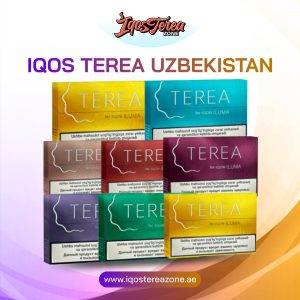
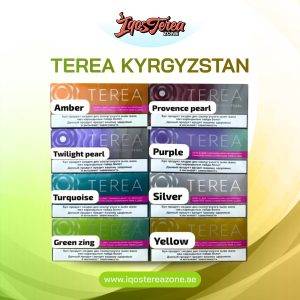
The correct approach for Dubai and UAE buyers is to purchase IQOS ILUMA devices from sources that are documented, verifiable, and can provide proof of purchase for warranty purposes. If you are shopping for genuine TEREA sticks, see the full authentic range at: IQOS TEREA by Country
Using Counterfeit TEREA Sticks and Your Warranty: A Dubai Warning
A frequently asked question from UAE users is whether using non-genuine TEREA sticks voids the device warranty. The answer is yes, if the non-genuine sticks cause or contribute to the fault you are claiming.
Counterfeit TEREA sticks circulate across Dubai and the wider UAE market. These fakes lack the correct internal metal heating element. Some produce irregular heating that stresses the SMARTCORE INDUCTION SYSTEM. If IQOS technicians assess your device and determine that damage was caused or worsened by the use of non-compatible or counterfeit sticks, the claim will be declined.
Using only genuine TEREA sticks is not just a performance recommendation. It is a warranty protection measure. All TEREA sticks at IQOS Terea Zone are genuine regional stock, clearly organized by country of origin, and available with same-day delivery across Dubai, Sharjah, and Ajman.
For a full breakdown of TEREA sticks organized by country and flavor, visit: IQOS TEREA by Country
Warranty Tips Specific to UAE Climate and Dubai Users
Dubai’s environment creates specific risk factors for device damage that could affect your warranty eligibility if not managed correctly.
Never leave your device in a car: Inside a parked car during UAE summer, temperatures can reach 55 degrees Celsius or above. The ILUMA i’s operating temperature range is 0 to 40 degrees Celsius. Heat damage from car storage is classified as misuse and is explicitly excluded from warranty coverage. This is one of the most common reasons warranty claims are declined for Dubai users.
Keep your TEREA sticks genuine and stored correctly: Moisture-affected or counterfeit sticks can affect device sensor readings and in some cases cause the Autostart to behave incorrectly. If this triggers a hard sensor reset or causes a reading error that damages the induction coil assembly, the resulting claim may be contested.
Do not attempt to clean the inside of the holder: IQOS ILUMA i devices require no internal cleaning. Inserting any object, cleaning tool, or liquid into the holder aperture in an attempt to “clean” it can cause damage that voids your warranty. If you are uncertain why ILUMA i devices require no internal cleaning, this is explained in detail at: Why ILUMA i Devices Don’t Need Cleaning: Explained Simply for Dubai and UAE Users
Keep your original box and receipt: Even with a registered device, keeping the original box and purchase receipt is strongly recommended. If a serial number discrepancy appears in IQOS’s system, having the physical box removes any doubt about your purchase date.
Register on purchase day, not “later”: The number one warranty mistake made by Dubai users is intending to register “later” and then forgetting. The 30-day window passes faster than expected. Register your device the same day you open the box. It takes approximately 3 minutes.
Warranty Support Access Across the UAE
Dubai
Dubai users have the most comprehensive warranty support access in the UAE. The official IQOS Boutique at The Dubai Mall handles walk-in warranty assessments and replacements. Online claims from Dubai addresses receive replacement delivery within 24 hours of approval. The boutique is open until midnight on weekdays and 1:00 AM on Fridays and Saturdays, making it accessible even for users with demanding work schedules.
Abu Dhabi
Abu Dhabi users primarily rely on the online claim portal, as the main physical boutique is in Dubai. Online claims are processed at the same speed, and replacement delivery to Abu Dhabi addresses is also within 24 hours of claim approval in most cases. Abu Dhabi users should keep proof of purchase ready as the online portal may request it.
Sharjah and Ajman
Sharjah and Ajman users also access warranty support primarily through the online portal or by contacting IQOS Care directly. Replacement delivery reaches Sharjah and Ajman within 24 hours of claim approval. Users in these emirates who prefer an in-person assessment can visit the Dubai Mall boutique, which is accessible from Sharjah and Ajman via the main highways.
Ras Al Khaimah, Fujairah, Umm Al Quwain
All northern and eastern emirates access warranty support online or by phone. Replacement delivery to these emirates typically takes 1 to 2 business days from claim approval.
What to Do If Your Device Is Out of Warranty in Dubai
If your IQOS ILUMA device’s warranty has expired and it is experiencing problems, you have two practical options in the UAE:
Option 1: Upgrade to IQOS ILUMA i series. Many users whose older ILUMA or ILUMA One devices have aged out of warranty find it more practical to upgrade to the ILUMA i series rather than seek out-of-warranty repair. The ILUMA i’s improved battery management, Pause Mode, FlexPuff technology, and more durable construction represent a meaningful upgrade. For a direct comparison to help you decide whether upgrading makes sense, read: IQOS ILUMA i Prime vs ILUMA i Standard: Full 2026 Comparison Guide
Option 2: Contact IQOS Care for out-of-warranty assessment. IQOS may offer goodwill replacements or discounted replacement programs for out-of-warranty devices in some cases. This is not guaranteed, but users who have been registered customers and maintained their account in good standing sometimes qualify for goodwill support. Contact IQOS UAE Care directly to inquire.
Why Buying from IQOS Terea Zone Protects Your Warranty
When you purchase genuine TEREA sticks from IQOS Terea Zone, you protect both your device’s performance and your warranty validity. Here is why this connection matters:
Using counterfeit or substandard TEREA sticks can cause sensor errors, inconsistent induction activation, and in severe cases, operational stress on the device’s heating system. If a warranty claim is later filed and IQOS technicians identify signs of non-genuine stick usage as contributing to the fault, the claim can be declined.
Every TEREA stick at IQOS Terea Zone is genuine regional stock, sealed, and clearly organized by country of origin. Buying from a verified source is not just about flavor quality: it is a direct warranty protection decision.
IQOS Terea Zone also provides 24/7 WhatsApp support, meaning that if you have questions about which TEREA sticks are compatible with your specific ILUMA i model before ordering, you can get an accurate answer before your device is ever affected by a bad purchase decision.
Full Warranty Claim Checklist for UAE IQOS ILUMA Users
Use this checklist to ensure you are fully prepared before filing a claim:
- Device is registered to your IQOS account (within 30 days of purchase date)
- Warranty period is confirmed as active (check “My Devices” on iqos.com/ae)
- Proof of purchase is available (receipt, order email, or bank statement)
- Basic troubleshooting has been completed (full charge, fresh genuine TEREA stick, manual reset)
- Serial number has been noted and is ready
- Error behavior is documented (description of fault, LED pattern, when it started)
- Photos or video of the error lights are prepared (if applicable)
- Device has not been exposed to water, excessive heat, or unauthorized repair
- Only genuine TEREA sticks have been used with the device
If all boxes are checked, your claim has the highest possible chance of fast approval and replacement without delays.
Why Choose IQOS Terea Zone in Dubai for TEREA Sticks and Device Purchases
IQOS Terea Zone is a UAE-based specialist platform for genuine TEREA sticks and IQOS ILUMA devices. Buying your TEREA sticks from IQOS Terea Zone protects your device and your warranty in one decision:
Every product is genuine, every delivery is tracked, and the team is available 24/7 on WhatsApp to help you choose the right sticks for your device before you order. There are no counterfeit products, no mislabeled origins, and no grey-market devices.
Free delivery on orders above AED 450. Dubai, Sharjah, and Ajman orders arrive within 1 to 2 hours. All other UAE emirates within 12 hours.
Shop Genuine TEREA Sticks in Dubai
Protect your IQOS ILUMA device and keep your warranty valid by using only genuine TEREA sticks from IQOS Terea Zone. Browse the full UAE range:
- Shop All TEREA Sticks by Country of Origin Japan, Indonesia, Kazakhstan, Kyrgyzstan, and Uzbekistan editions, all genuine
- Best TEREA Flavors for IQOS ILUMA Users Find the right flavor for your device and taste profile
- Top TEREA Flavors for ILUMA i Devices Flavor guide specifically optimized for the ILUMA i series
- IQOS ILUMA i Prime vs ILUMA i Standard Thinking of upgrading? Compare the two main ILUMA i models for UAE use
- IQOS ILUMA i ONE vs ILUMA ONE All-in-one model comparison to help you choose the right device
- IQOS ILUMA i Devices for Beginners New to ILUMA i? Avoid the most common mistakes Dubai users make
- Why ILUMA i Devices Don’t Need Cleaning Understand why warranty-safe maintenance on ILUMA i requires no internal cleaning
- Ultimate ILUMA i Setup Guide for TEREA Lovers 2026 Get your setup right from day one and protect your investment from the start
Frequently Asked Questions (FAQs)
How long is the IQOS ILUMA warranty in the UAE?
The standard warranty is 12 months from the date of purchase for all IQOS ILUMA i devices in the UAE. By registering your device to your IQOS account within 30 days of purchase, you extend this to 24 months total. The 30-day registration window is strict and cannot be extended retroactively regardless of circumstances.
Do I need my receipt to claim warranty in UAE?
If your device is registered to your IQOS account, you generally do not need the physical receipt as the registration itself documents the purchase. However, keeping your receipt or order confirmation email is strongly recommended as backup. For unregistered devices, proof of purchase is required. Without it, IQOS may apply the warranty from the manufacturing date recorded in their system, which can be earlier than your actual purchase date.
How long does IQOS warranty replacement take in Dubai?
Once your warranty claim is approved, replacement delivery in Dubai typically arrives within 24 hours. In Abu Dhabi, replacements also arrive within approximately 24 hours of approval. All other UAE emirates receive their replacement within 1 to 2 business days. Claims submitted over UAE public holidays or weekends may experience slight delays.
Does the IQOS warranty cover accidental damage in UAE?
The standard warranty does not cover accidental damage such as drops, cracks, or physical impact damage. Only registered IQOS ILUMA i Prime users are eligible for one-time accidental damage replacement within the warranty period. All other ILUMA i models (Standard and ONE) are covered for manufacturing defects only.
What happens if I bought my IQOS ILUMA from an unofficial seller in Dubai?
Devices purchased from unauthorized sellers may not be eligible for official IQOS UAE warranty support. The IQOS UAE warranty is only valid for devices purchased from the official IQOS UAE website or officially authorized UAE retailers. If you purchased from an unofficial source, contact IQOS Care at iqos.com/ae to check whether your specific device’s serial number is registered in their UAE system and whether any coverage applies.